
How to Use Claude Code for SEO (Rank High on Google)
Disclosure: some links in this post are affiliate links. If you buy through them I may earn a commission at no extra cost to you. I only recommend tools I actually use. Full disclosure.
This guide walks through my full Claude Code SEO workflow, the same system I used to rank number one on Google with only ten blog posts and zero backlinks.How Claude Code SEO Actually Works
Most AI SEO tutorials show you a tool and stop there. They skip the part where you actually rank.
So here is what my setup looks like in practice. I feed Claude Code a YouTube video URL, and it produces a fully optimized blog post in roughly 60 seconds. That post gets published directly to WordPress through an MCP connection. No copying, no pasting, no switching between tabs.
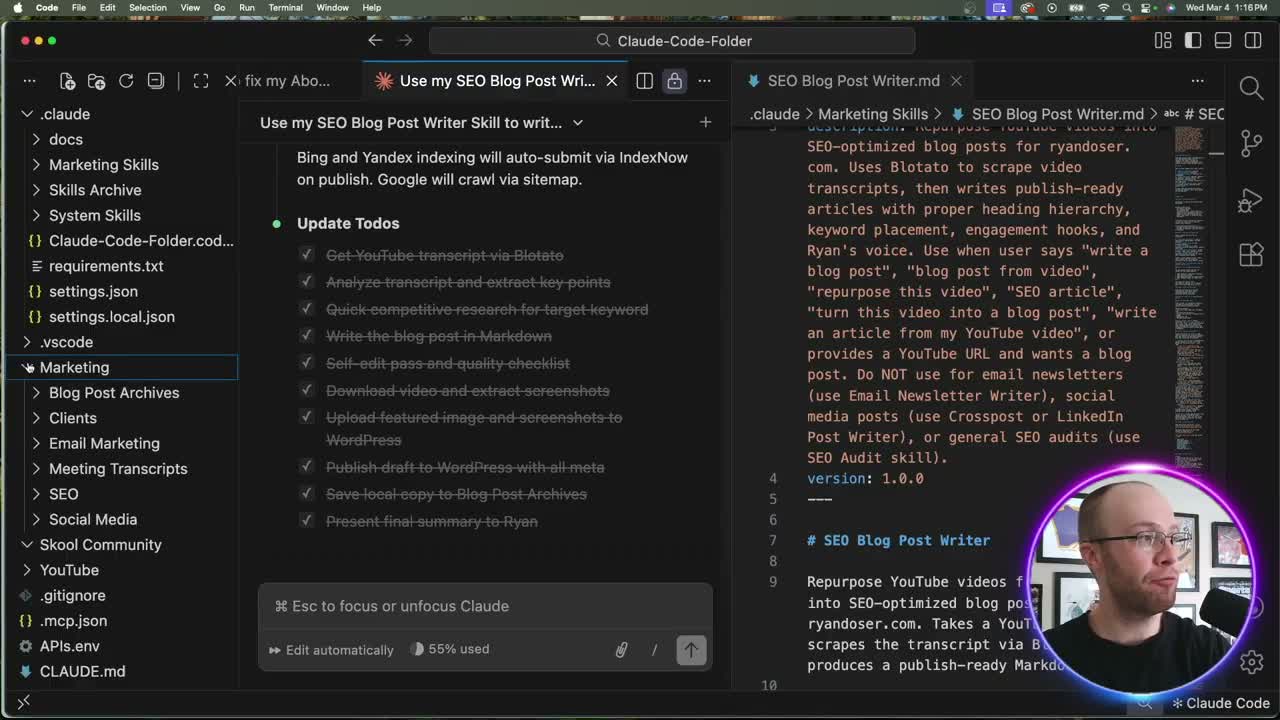
The workflow handles everything: heading structure, keyword density, meta descriptions, screenshots from the video, alt text, featured images, and even permalink optimization. All of it runs from a single Claude Code skill file I built called the SEO Blog Post Writer.
Setting Up Your Claude Code SEO Skill
You need four things before this workflow runs smoothly.
First, a Claude Code subscription. I use the Claude Max plan at $100 per month. The Pro plan works for testing at $17 per month, but it may not hold up at scale based on my experience.
Second, a Claude Code skill that knows how to write SEO content. Mine includes rules for heading hierarchy, word count limits, keyword placement, image handling, and my personal writing style. You can grab a copy free from my AI Marketing Essentials Guide linked above and then repurpose it with your own voice. My Claude Code Skills Stack has 20+ skills I use daily to automate marketing and content creation with a one time fee and lifetime updates.
Third, an MCP connection between Claude Code and your website. I run WordPress with a plugin called AI Engine MCP. That plugin gives Claude Code direct access to create posts, upload images, and set meta fields without me touching the WordPress dashboard.
Fourth, a transcript scraping tool. I use Blotato to pull YouTube transcripts automatically. Their paid plan starts at $29 per month with a 30-day money-back guarantee.
Running the SEO Workflow Step by Step
Once everything is connected, the process takes about a minute from start to finish.
Open Claude Code in VS Code (or your preferred IDE). Paste a YouTube video URL along with your target keyword and secondary keywords. Add your preferred blog title. Hit enter.
Claude Code then scrapes the video transcript through Blotato, analyzes the content, researches competing articles for gaps, writes the full post following your skill rules, extracts screenshots from the video at key timestamps, uploads everything to WordPress as a draft, and sets all Yoast SEO fields automatically.
I recommend switching to Sonnet 4.6 for this task. Opus 4.6 works but burns through your usage faster for a job that Sonnet handles well. Also toggle off extended thinking mode to save tokens.
One critical note: always save as a draft first. I review every post before it goes live. The system handles structure and optimization, but a human eye catches nuance that AI misses.
Real Results from This AI SEO Agent
Here is where most Claude Code SEO content falls short. People show the setup but never show the results.
I started testing this workflow about a week before filming the video. At that point, ryandoser.com had roughly ten blog posts and zero backlinks. That is not a site with any domain authority to speak of.
Despite that, searching "Claude Code productivity hack" in an incognito window showed my article at position one. Other keywords related to my content were consistently landing on the first page of Google search results.
That matters because it proves the system works even without a backlink profile. Google's E-E-A-T guidelines reward firsthand experience and expertise. Blog posts built from real video demonstrations carry that signal naturally.
For context, I also manage SEO for a major client where we generate millions of clicks and impressions annually. This is not theory. It is a production-tested system applied to a brand-new domain.
Why This Beats Traditional AI SEO Tools
Standard AI writing tools generate generic content from a prompt. They lack context about your voice, your audience, and your actual experience with the topic.
Encoding the plan as a file is the whole point, and it is why I think the publishing half of SEO content strategy now decides who ranks.
A Claude Code SEO skill is different. It carries your writing rules, keyword strategy, heading structure preferences, and publishing workflow in one reusable file. Every post comes out consistent with your brand voice because the skill enforces those constraints automatically.
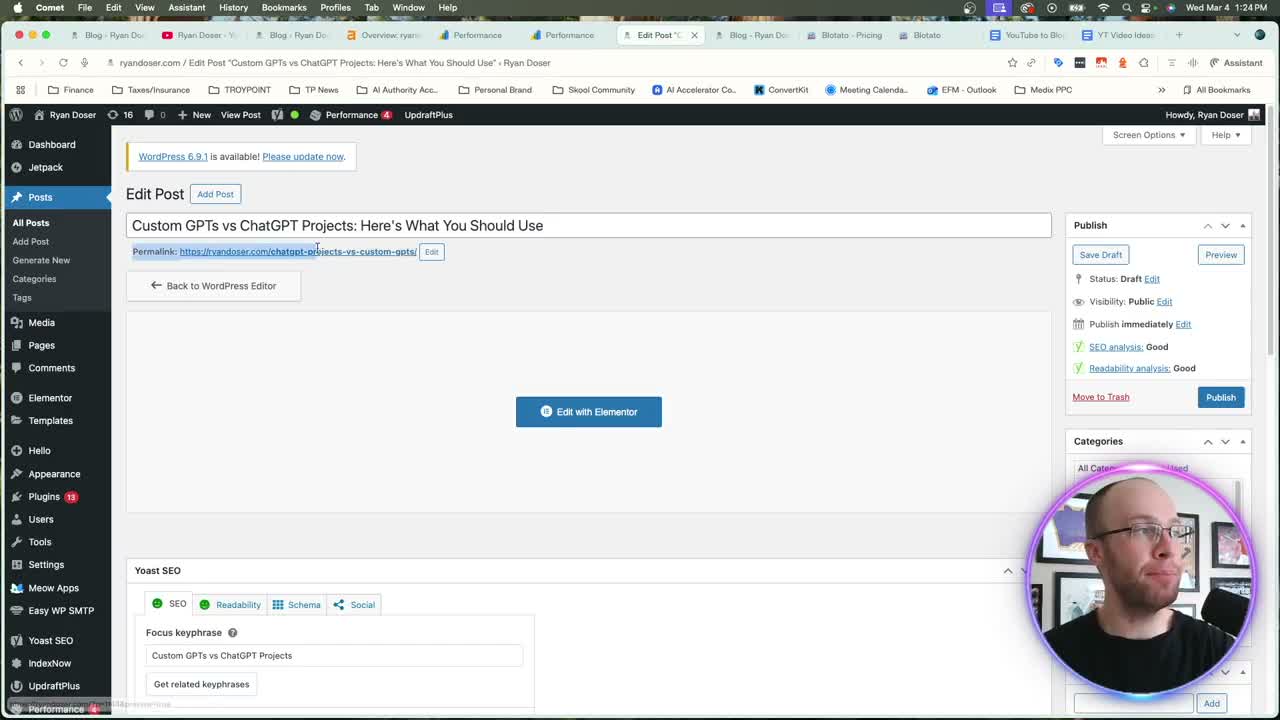
The MCP connection removes the entire copy-paste step. Posts arrive in WordPress with correct permalinks, categories, meta descriptions, and featured images already in place. That eliminates 15 to 20 minutes of manual formatting per article.
The video-to-blog repurposing approach adds another layer. YouTube videos provide authentic, firsthand content that search engines reward. Converting that into written form creates content that is both original and backed by demonstrated expertise.
Final Thoughts from Ryan
This Claude Code SEO workflow turned a brand-new domain with zero backlinks into a site ranking on the first page of Google within a week. The entire system runs from one skill file, a few MCP connections, and about 60 seconds per blog post.
The key is starting with real content from your own YouTube videos, letting the skill handle optimization, and always reviewing before you publish. If you want my exact SEO Blog Post Writer skill and the templates behind this system, grab the free guide linked above.
Claude Code SEO FAQs
Do I need a paid Claude plan to use Claude Code for SEO?
Yes. Claude Code requires at least a Pro plan ($17 per month). For publishing multiple posts per week, the Max plan at $100 per month provides more headroom. The Pro plan may hit usage limits quickly if you run the full workflow at scale.
Can Claude Code connect directly to WordPress?
It can through MCP (Model Context Protocol). Install the AI Engine MCP plugin on your WordPress site, configure the connection in Claude Code, and it gains the ability to create posts, upload media, and set SEO metadata without manual effort.
How long does it take to create one SEO blog post with Claude Code?
The automated workflow runs in about 60 seconds once your skill and MCP connections are configured. Initial setup takes 30 to 60 minutes. After that, each new post requires only a YouTube URL, a target keyword, and a quick review before publishing.
Does this work for websites besides WordPress?
The core concept works with any CMS that supports MCP connections. WordPress is the most mature option right now with the AI Engine plugin. If your CMS supports API access, you can likely build a similar integration. Research what MCP tools exist for your platform before committing.