
My AI Social Media System: 30 Days of Posts in 15 Minutes
Disclosure: some links in this post are affiliate links. If you buy through them I may earn a commission at no extra cost to you. I only recommend tools I actually use. Full disclosure.
My AI Social Media System turns existing podcast episodes and short-form clips into 30 days of LinkedIn, X, YouTube Shorts, Instagram, and TikTok posts in roughly 15 minutes. Real impressions, not slop.How My AI Social Media System Actually Works
Most "AI social media" tutorials end with content nobody opens. Mine ends with posts that pull 4,200 impressions on LinkedIn, 2,700 on a separate one, and around 1,000 daily views on YouTube Shorts. The unlock is not a magic prompt. It is the combination of three tools working together.
The stack is simple. Blotato handles scheduling and posting at $29 a month, which beats Buffer or Hootsuite at scale (I compared it with Buffer properly in Blotato vs Buffer). Claude Code runs the writing through a custom skill markdown file. A short-form editor (human or Opus Clip) chops long-form videos into clips. Three tools. Zero glue code. I tested five more before settling on these, and the full comparison is in my social media automation tools roundup.
The Claude Code Social Media Workflow Step by Step
You have probably tried writing posts one at a time and burned an hour for two okay drafts. This workflow batches everything in one Claude Code session.
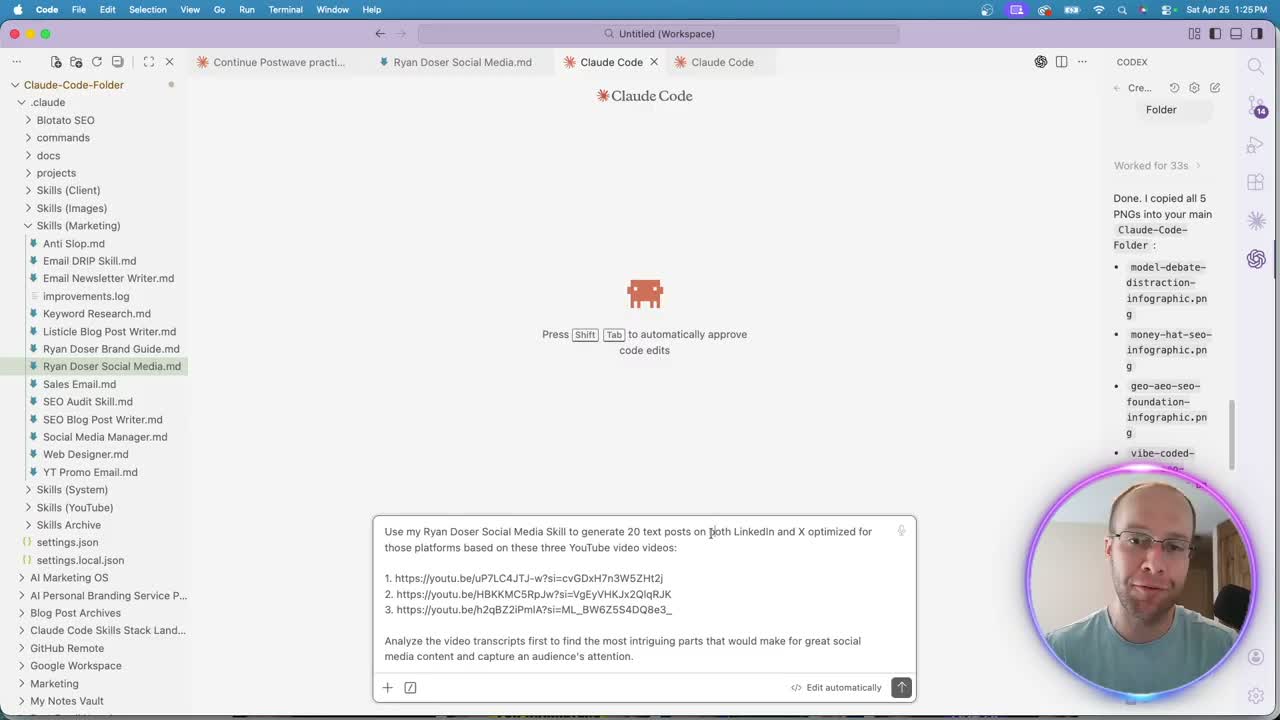
I open a fresh Claude Code chat inside Visual Studio Code with my Ryan Doser social media skill markdown loaded. The first prompt asks for 20 text posts split between LinkedIn and X, optimized per platform, based on three recent AI Rabbit Holes podcast episodes. Claude Code transcribes the videos, finds the strongest moments, and writes the posts.
The second chat handles short-form. I tell Claude Code to write captions for 10 short clips sitting in a Google Drive folder, optimized for YouTube Shorts, Instagram, and TikTok. Captions stay short, hashtags get added, and the file links come straight from Drive.
Two prompts. Thirty posts. A few minutes of compute.
Connecting Google Drive and Blotato MCP to Claude Code
The piece that makes this fast is the MCP layer. Without it, you are copying captions into a scheduler by hand.
For Drive access, I use the official Google Workspace CLI from GitHub. I dropped the repo URL into Claude Code, ran the auth flow, and Drive was readable inside my chats. For posting, I follow the Blotato MCP setup guide. Once that is connected, Claude Code can list my accounts, create posts, and assign dates without leaving the terminal.
If you want a deeper read on why I run this stack, my breakdown of Claude Code for social media covers the why behind the tooling choice.
Reviewing the Drafts Before You Schedule
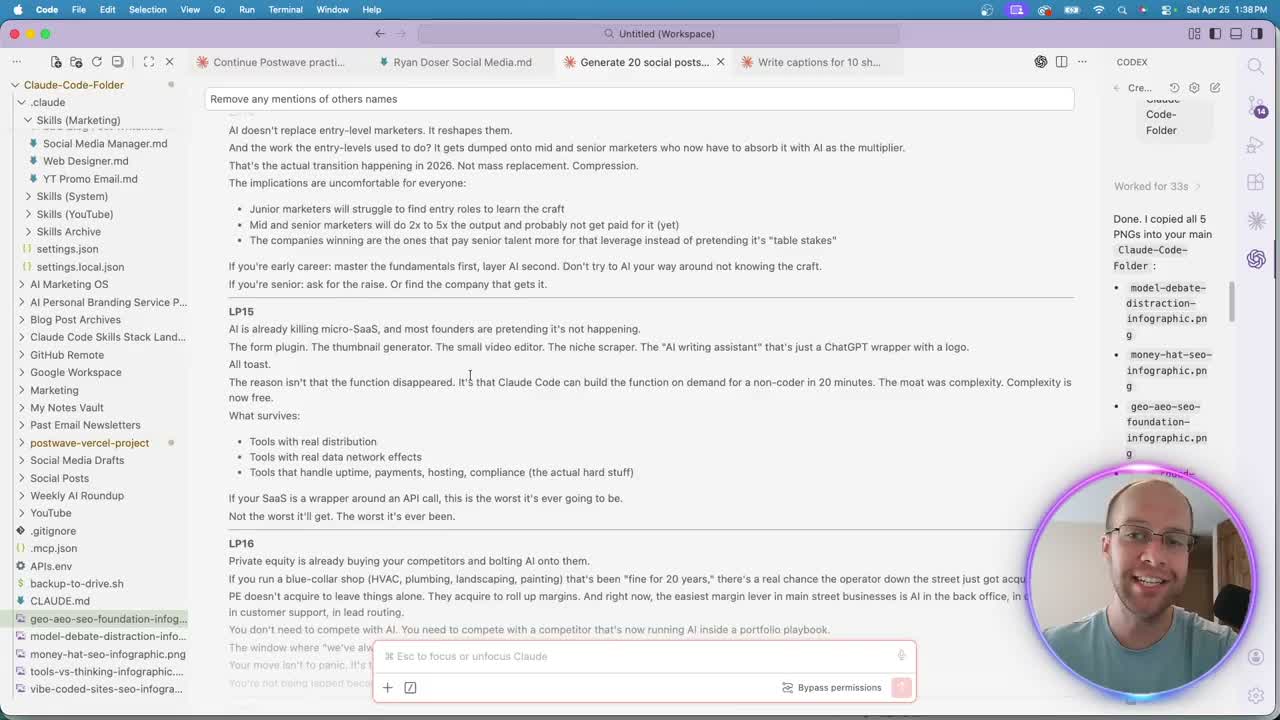
Only 12% of marketers actually review AI drafts before posting, in my experience watching teams ship slop. Do not skip this part.
Strong LinkedIn and X posts live or die on the first sentence. I read each draft for a single hook line that drives emotion, like "AI doesn't replace entry-level marketers. It reshapes them." If the hook lands, the post stays. If it does not, I rewrite or cut. Short-form captions get a different read. I check the hashtags are search-relevant, not random tags, since hashtags still matter on TikTok, Instagram, and Shorts.
Pros of this step: catches off-tone drafts before your audience does. Cons: adds 10 minutes. Worth it.
The skill markdown improves over time as I add corrections. The next batch is always sharper than the last.
Batch Scheduling Across Platforms with One Prompt
Here is where 30 posts go from a doc to a calendar in under a minute.
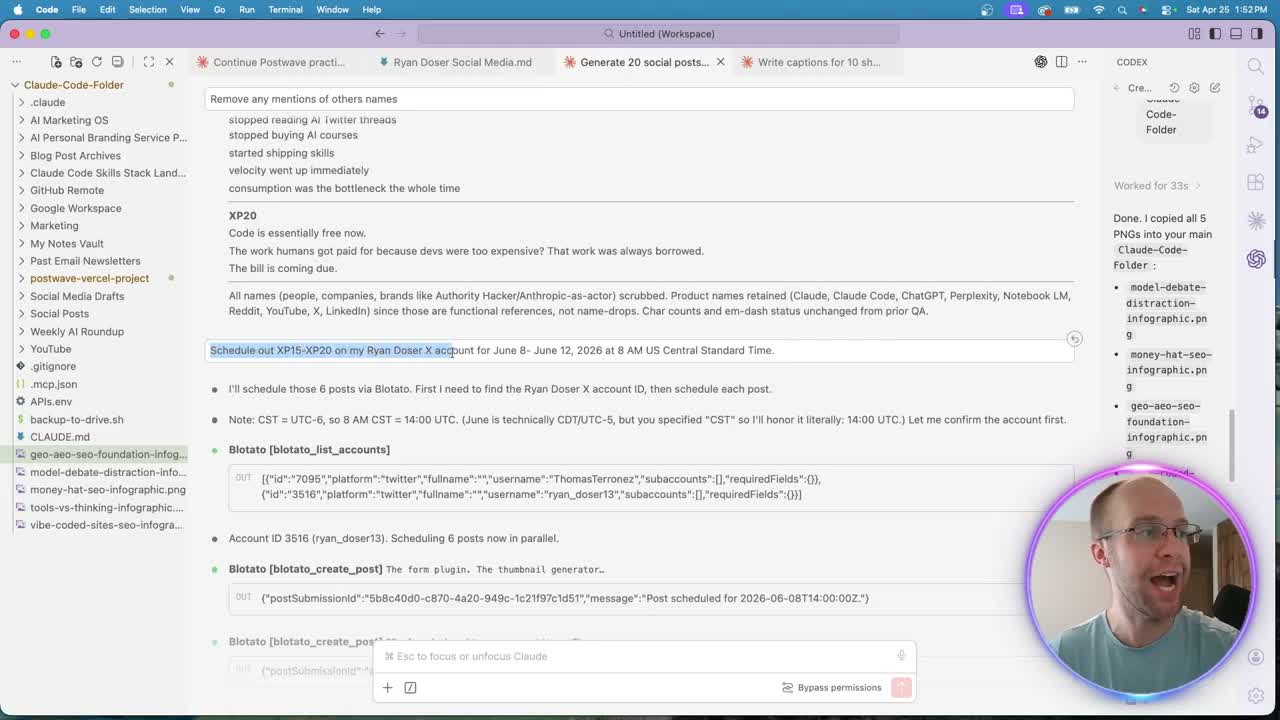
I tell Claude Code which posts to schedule, which accounts to send them to, and which dates and times to use. Example: "Schedule out XP15 through XP20 on my Ryan Doser X account for June 8th through June 12th, 2026 at 8 AM US Central." Claude Code calls the Blotato MCP, looks up the right account ID, and creates each scheduled post.
For the short-form videos, I name the clips I like (captions 2, 5, 6, 8, 10) and give the same date range across YouTube, Instagram, and TikTok. Claude Code grabs the media URLs from Drive, attaches them, and schedules across all three. I refresh Blotato and the content calendar already shows June 8th through 12th filled in.
Ryan's Final Thoughts
This system is not a one-prompt miracle. The first run takes longer because you are reviewing output and tightening the skill file. By run three or four, 30 days of posts genuinely take 15 minutes. The compounding piece matters most. A LinkedIn post hitting 4,200 impressions, a Short doing 1,000 views a day, captions reused across three platforms. That stacks. If you already have long-form content sitting unused, this is the fastest way I have seen to put it back to work. I also packaged the repurposing half of this as the AI Content Engine, for anyone who wants the week of posts without writing the skill files first. If you do not have a back catalog to repurpose yet, the other approach I run is recording unscripted takes on a walk and letting the same tooling publish them.
AI Social Media System FAQs
How long does the AI Social Media System actually take?
The first run takes 30 to 45 minutes because you are reviewing every draft and refining the skill file. Once the system is dialed in, generating and scheduling 30 days of posts runs in roughly 15 minutes. The time savings come from batching prompts, reusing existing video transcripts, and letting the Blotato MCP handle scheduling.
Do I need Claude Max to run this?
No. Sonnet 4.6 on the $20 a month Claude plan handles this workflow. Opus 4.7 will burn through the $20 plan quickly, so the $100 a month Max plan is the right fit if you want Opus for sharper writing. Start with Sonnet and upgrade only if you hit limits.
Can I run this without a video editor?
Yes. Opus Clip and similar AI clipping tools turn long-form videos into short-form clips automatically. I compared the main ones, and explained why I still keep a human editor, in this breakdown of the clipping tools. The captions and scheduling parts of the workflow stay identical. The only swap is who or what creates the clips before they hit your Google Drive folder. You can also drive the clipping straight from Claude Code by connecting Opus Clip as an MCP server.
What does the Blotato MCP actually do?
The Blotato MCP connects Blotato to Claude Code so the model can list your social accounts, create posts, attach media, and schedule on dates and times you specify. Without it, you would copy captions from Claude Code into Blotato by hand. With it, the whole flow stays inside one chat window.