
How to Build an AI Social Media Manager with Claude Code
Disclosure: some links in this post are affiliate links. If you buy through them I may earn a commission at no extra cost to you. I only recommend tools I actually use. Full disclosure.
This guide walks you through how to build a fully functional Claude Code Social Media system that posts, schedules, and repurposes content across every platform you use.How Claude Code Social Media Management Works
A Claude Code social media manager works by combining three pieces: skill files that define your brand voice, an MCP connection to a posting tool like Blotato, and Claude Code itself running in your terminal. Together they let you write, schedule, and publish posts across every platform from one interface.
Most AI social media tools generate captions in a vacuum. They have no idea how you sound, what platforms you post on, or what your content calendar looks like. I broke down which ones are worth paying for as a founder and which two I stopped recommending.
That gap is why most software sold as an AI social media manager disappoints. It writes competent captions about nothing in particular, because nothing in the product knows anything about you. The version I run works because the context comes from my own files rather than from a model's average of the internet.
Claude Code takes a different approach. You give it skill files (markdown SOPs that define your voice, platform rules, and posting preferences), connect your social accounts through an MCP integration, and then manage everything from a single terminal interface. No switching between tabs. No copy-pasting into five different scheduling tools.
The setup involves three core pieces: Claude Code running inside VS Code (or terminal or desktop app), a social media MCP connection through a tool called Blotato, and skill files that train the AI on your exact brand voice. Once those are connected, you can repurpose a YouTube video into platform-specific posts, publish directly to X, or schedule content weeks in advance on LinkedIn, Instagram, TikTok, and more.
Connecting Your Social Media Accounts to Claude Code
You have probably tried connecting APIs manually before. It is tedious and breaks constantly.
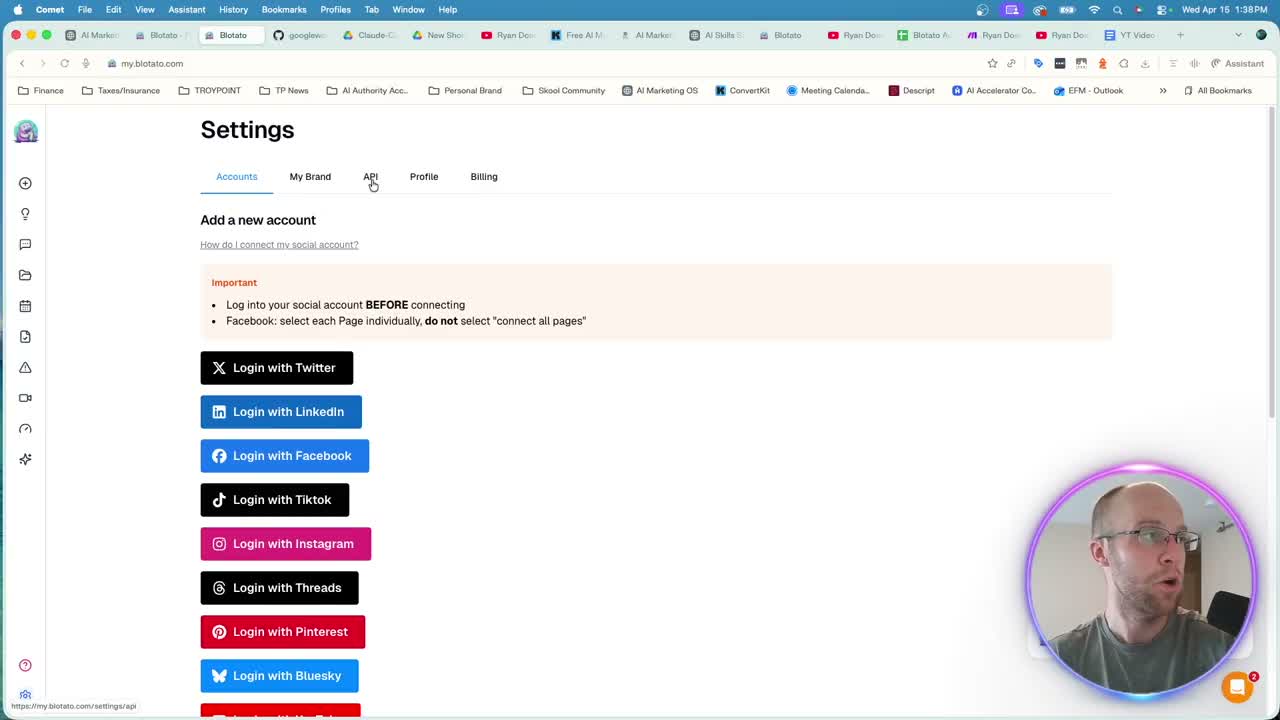
Blotato simplifies this by acting as the bridge between Claude Code and your social platforms. Plans start at $29/month with a 7-day trial, and you can cancel anytime. Once you are on at least the Starter plan, you connect each social account (X, LinkedIn, Facebook, TikTok, Instagram, Threads, Pinterest, Bluesky) directly inside the Blotato dashboard under Settings > Accounts.
After your accounts are linked, you connect Blotato to Claude Code through an MCP integration. Blotato is one of seven servers in my marketing MCP stack, where I break down what each costs once it is running. The Blotato MCP setup guide provides the exact configuration for Claude Code in the terminal, VS Code, and other MCP clients. Paste those instructions into Claude Code and it handles the rest. You might need to troubleshoot a few authentication steps, but the integration is straightforward once complete.
Blotato also includes a YouTube transcript scraper built into the MCP. That means Claude Code can pull transcripts from any public YouTube video, analyze the content, and write platform-specific social posts from your own original material.
Repurposing YouTube Videos Into Social Posts
Here is where the real value kicks in. Instead of watching your own video and manually writing captions, you hand Claude Code a YouTube URL and a skill file.
I tested this with a recent podcast episode. The prompt was simple: "Use my social media skill to create five posts for X and LinkedIn based on this YouTube video." Claude Code scraped the transcript through Blotato, referenced my voice and formatting rules from the skill file, and generated all ten posts in a few minutes.
The skill file is doing the heavy lifting here. Without it, you get generic AI captions that sound like everyone else on the internet. With a properly built Claude Code Skills Stack, the output matches your actual tone, follows platform character limits (280 for X, 500 for Threads), and structures captions differently for professional platforms like LinkedIn versus short-form platforms like TikTok.
If you want the repurposing step packaged rather than assembled, the AI Content Engine is the ready-made version: one video in, the week of posts, a blog, a newsletter, and short-form hooks out, written in your voice.
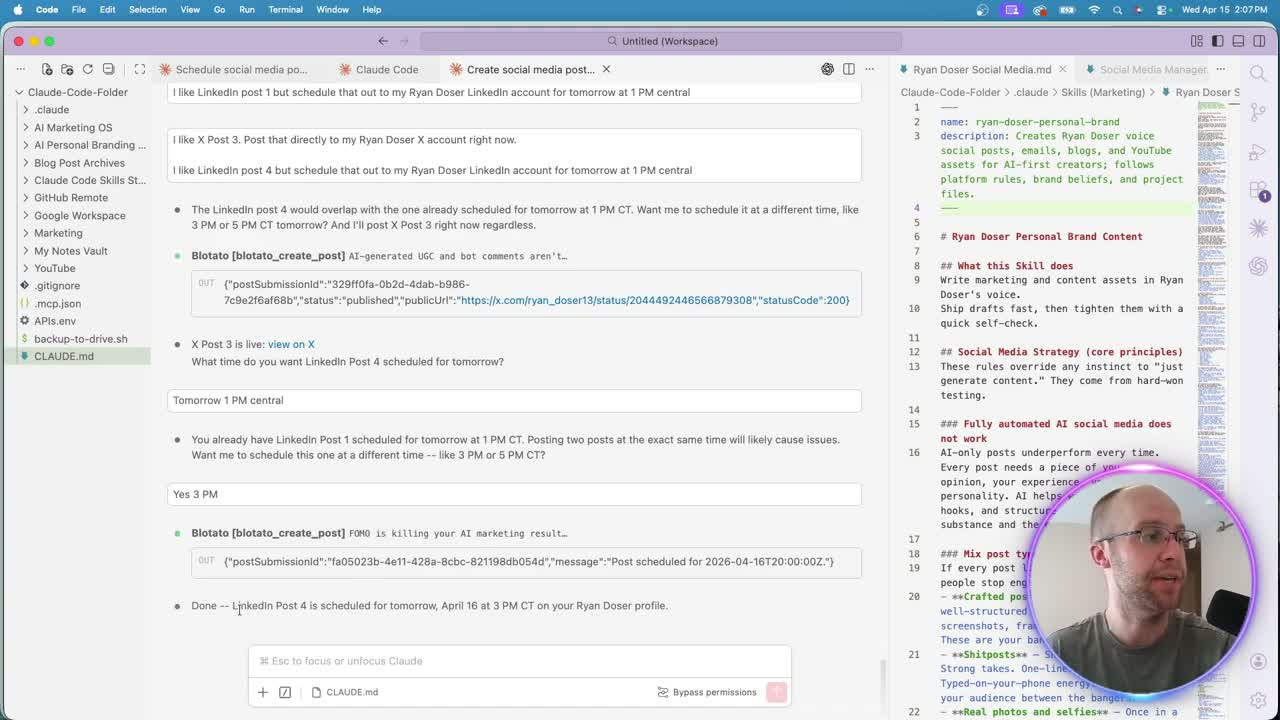
From there, posting is instant. Tell Claude Code "post X post 3 to my account right now" and it publishes directly through Blotato. A live link appears in your terminal within seconds. For content you want to schedule, specify a date and time. Claude Code even checks your existing Blotato calendar for conflicts before locking in the slot.
Batch Scheduling Short-Form Video Content
Single posts are useful for quick wins. Batch scheduling is where this system saves hours every week.
I keep a Google Drive folder where my short-form video editor drops finished clips. The same folder also catches the raw unscripted takes I record on my daily walks, which is how I keep a steady posting cadence without a content calendar. By connecting the Google Workspace CLI to Claude Code, I can point it at that folder and say "write captions for all ten videos and schedule them starting June 8th, Monday through Friday, 8 AM Central."
Claude Code opens the folder, scrapes each video transcript, writes two caption groups per video (Group A for Instagram, TikTok, and YouTube Shorts with hashtags; Group B for X and LinkedIn with a different structure), uploads the video files to Blotato, and schedules everything across platforms. The entire batch took a few minutes to process.
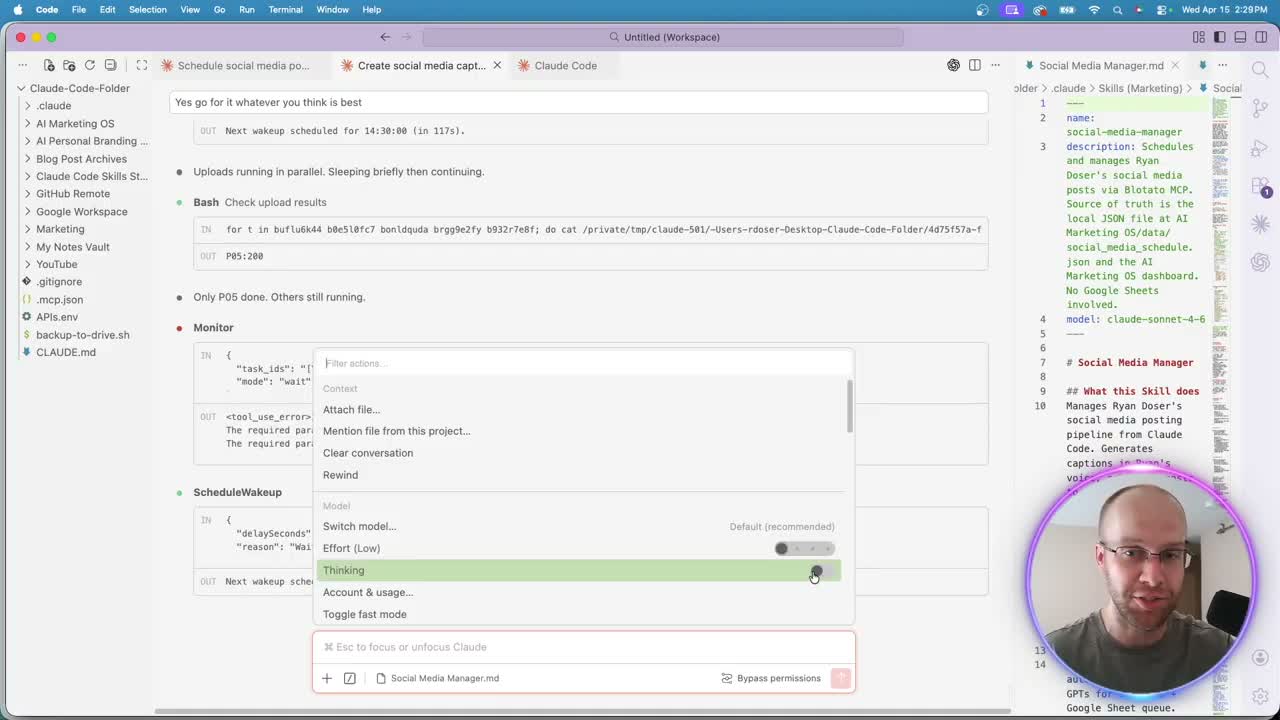
One practical note on tokens: this type of task burns through usage quickly. I recommend switching to Sonnet 5 instead of Opus, setting effort to low, and turning off extended thinking mode. Those three adjustments cut token consumption without sacrificing caption quality for social media management tasks.
Building Your Own Social Media Dashboard
The Blotato calendar works, but it is still in beta and the interface is limited. If you want more control, you can vibe code your own social media dashboard directly from Claude Code.
I built a custom AI Marketing OS that pulls scheduled posts from Blotato, displays them in a clean calendar view, and lets me preview video content inline. The process started with a single prompt referencing a dashboard builder skill file and took roughly a day of refining to get the integrations, colors, and functionality dialed in.
You do not need coding experience to build something like this. Claude Code generates the full application, runs a local dev server, and iterates based on your feedback. Upload screenshots of what looks wrong, reference a brand guide for styling, and keep refining until the dashboard fits your workflow. The calendar view, list view, and platform filters all came from conversational prompts, not manual code.
This step is entirely optional. Blotato handles scheduling and posting on its own. But if you manage content across multiple brands or want a centralized command center, a custom dashboard built with Claude Code gives you full control over the experience. I also use mine synced with Google Calendar for broader content planning beyond social media.
Ryan's Final Thoughts
Building an AI social media manager with Claude Code is not a one-click setup, but the individual pieces are simple. Connect Blotato, write a voice skill, and start small with a few repurposed posts. Once the foundation is working, batch scheduling and custom dashboards become natural next steps. The system I run today manages content across six platforms, schedules weeks in advance, and keeps my voice consistent without me touching a single scheduling app. Start with one platform and scale from there.
Claude Code Social Media FAQs
Can Claude Code post directly to social media platforms?
Yes, through an MCP integration with Blotato. Once connected, Claude Code can publish posts instantly to X, LinkedIn, Instagram, TikTok, Threads, Facebook, Pinterest, and Bluesky. You can also schedule posts for future dates and times directly from the Claude Code interface.
Do I need coding experience to set up Claude Code for social media?
No. Claude Code runs inside VS Code, the terminal, or the Claude desktop app. The MCP integration with Blotato follows a guided setup process. Skill files are written in plain markdown. If you can write a Google Doc, you can build a Claude Code skill.
How much does this Claude Code social media setup cost?
Claude Code requires a Claude Pro plan at minimum, which is $20/month billed monthly or $17/month on annual billing. Blotato starts at $29/month, and that Starter plan covers 20 connected accounts. Total baseline is $49/month for an automated social media system across the nine platforms Blotato publishes to. One thing worth knowing before you plan around it: Blotato's 7-day trial excludes API access, so generating an API key starts the paid subscription. If you are setting this up for MCP, plan on starting the subscription rather than trialing it. Token-heavy tasks like batch scheduling work best on Sonnet 5 with low effort settings.
What is the difference between a Claude Code skill and a regular AI prompt?
A skill is a reusable markdown file that persists across conversations. It contains your voice rules, platform-specific formatting, character limits, hashtag preferences, and content strategy guidelines. A regular prompt is one-and-done. Skills compound in quality over time as you refine them based on output.
Can I repurpose YouTube videos into social media posts with Claude Code?
Absolutely. Blotato includes a YouTube transcript scraper in its MCP. You provide a video URL, Claude Code pulls the transcript, and your skill file guides the AI to write platform-specific captions. One 20-minute video can produce dozens of posts tailored to each platform's format and audience.
Can AI manage my social media?
It can manage the production and the publishing. It cannot manage the judgment, and that distinction is the whole game. What I have running handles transcription, caption drafting, scheduling, and posting across six platforms without me opening a dashboard. What it does not do is decide what is worth saying. Every post still starts from something I actually recorded or thought. The people who hand an AI social media manager the whole job end up with a feed nobody reads, which is the failure mode I wrote about in how to avoid AI slop. Automate the distribution, keep the point of view.
How much is an AI social media manager?
The software runs $20 to $200 a month depending on how many accounts you connect and whether you need analytics on top. My own stack is $49 a month: Claude Pro at $20 and Blotato at $29. A human social media manager in the US runs several thousand a month, and a freelancer managing a couple of channels typically lands somewhere between $500 and $2,000. The honest comparison is not software versus person, though. Software replaces the tab-switching and the copy-pasting. It does not replace the person deciding what your brand should say this week.