
ChatGPT Images 2.0 is Here: Better Than Nano Banana?
OpenAI just shipped ChatGPT Images 2.0, and after testing it against Google's Nano Banana 2 on real business work, I think the balance has finally shifted.
OpenAI's New ChatGPT Images 2.0 Model
What if the model everyone else is chasing just got leapfrogged? That was my first reaction after running the new OpenAI image model through real YouTube thumbnails, branded infographics, and photorealistic tests.
If you want to go deeper on how I build image workflows like this into my AI stack, I put together a free resource with my Claude Code skills, automation templates, and systems. Grab the AI Marketing Essentials Guide to follow along.
The ChatGPT Images 2.0 model is available to free users inside ChatGPT, but advanced outputs with thinking require Plus, Pro, or Business. Inside the web app, click the plus icon, choose create image, then open the dropdown in the top left to pick standard or extended thinking. That thinking toggle is new for image work, and it matters for anything complex like infographics or thumbnails.
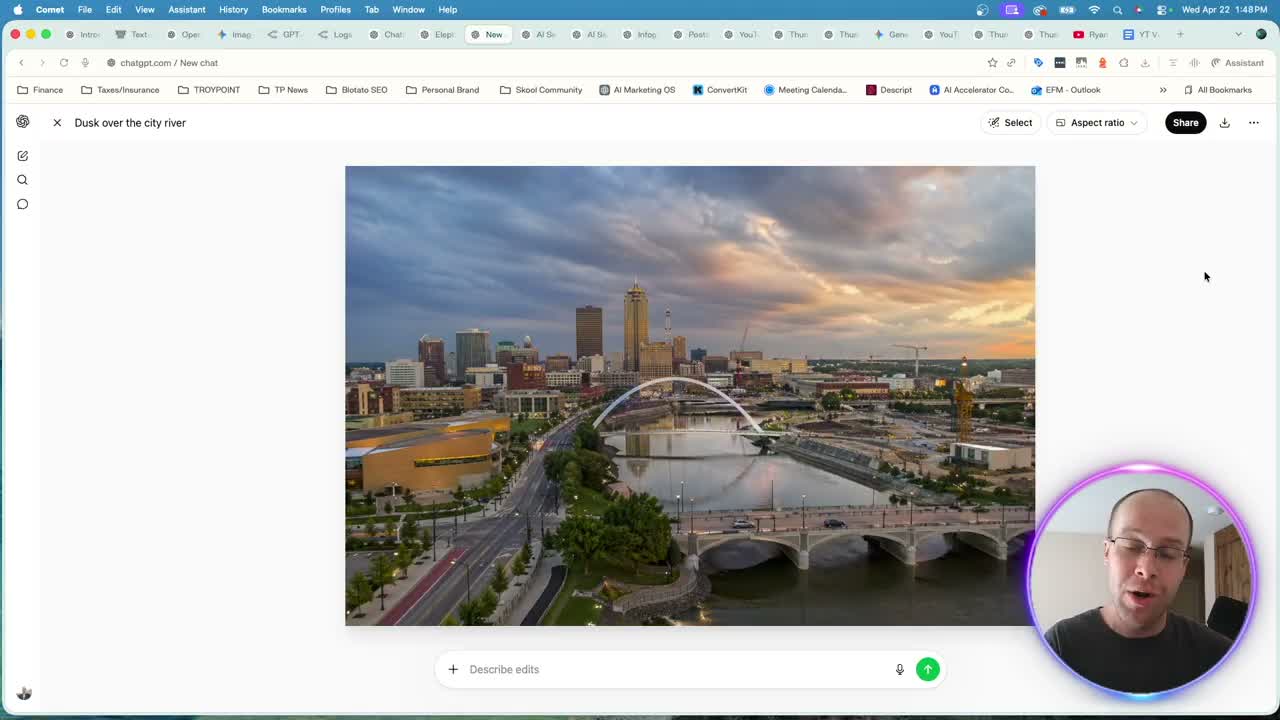
Pricing: Why the New OpenAI Image Model Is 40% Cheaper
Here is a stat that caught me off guard. OpenAI GPT Images 2.0 runs about 4 cents per image. Gemini 3.1 Flash Image, also known as Nano Banana 2, runs closer to 7 cents per image. That is roughly 40% cheaper for the OpenAI model on standard calls.
Batch processing flips the math. Nano Banana 2 gets cheaper than the OpenAI standard rate when you run large batches, but most marketers I talk to never touch batch mode. For one-off thumbnails, ad creative, and infographics, OpenAI wins on price.
If you want to check the current rate card yourself, here is the OpenAI API pricing page. And for independent ranking, the LLM Arena text-to-image leaderboard currently has GPT Image 2 sitting at number one, above both Nano Banana models.
Where ChatGPT Images 2.0 Actually Beats Nano Banana 2
Only 12% of AI image tools produce output I would send to a paying client without edits. The new OpenAI image model is one of them, and here is where it pulled ahead in my testing.
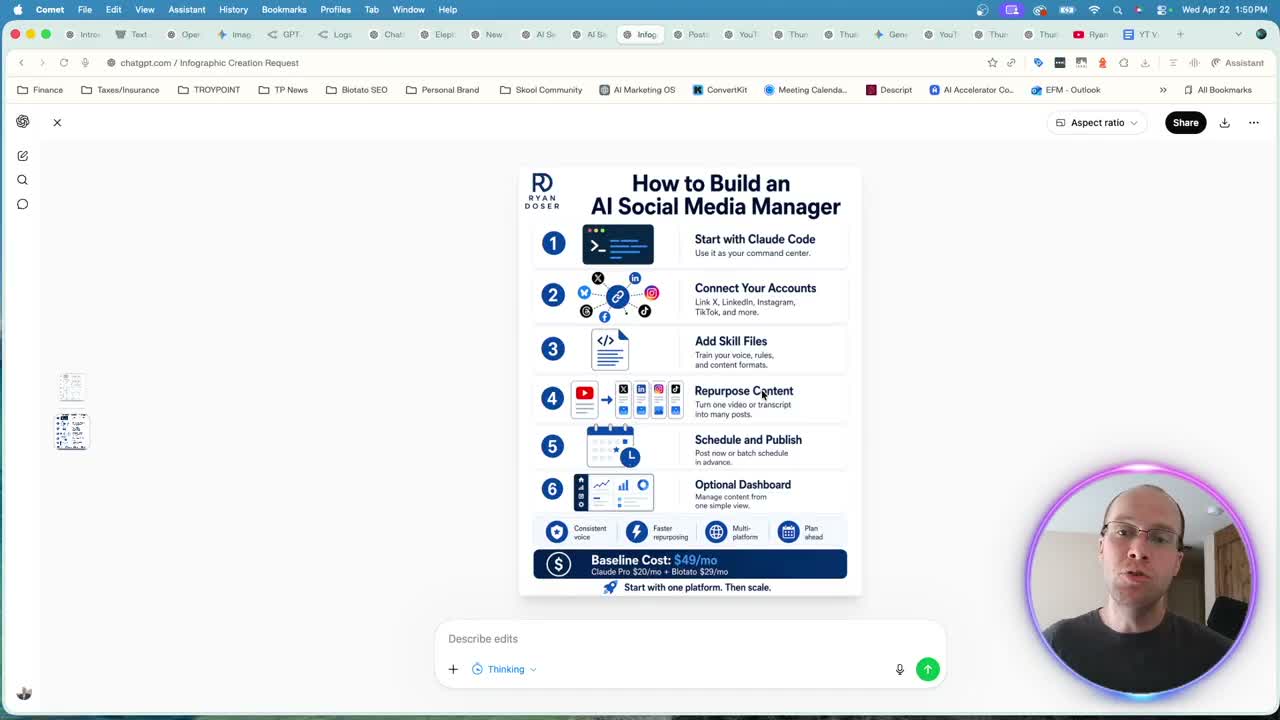
Infographics with real branding. I uploaded my logo and a blog URL, asked for an on-brand infographic, and the first pass was usable. A quick follow-up prompt to tighten the text and keep the logo in one spot produced something I would actually share. Previous OpenAI image models could not do this cleanly.
No visible watermark. Every Nano Banana output still carries a watermark in the bottom right. Yes, you can strip it in Photoshop or Canva, but that is an extra step every time. The new OpenAI image model only embeds an invisible marker, so images ship ready. Invisible provenance marks are becoming standard across every lab, and I explained what that means for your content in my breakdown of Anthropic watermarking Claude outputs.
YouTube thumbnails that look like a designer made them. I gave it one of my existing thumbnails, asked it to swap the text and update the background for the new OpenAI model, and the result was crisp. I then AB tested a version with a headshot replacement and the output was on par with paid designer work.
ChatGPT Images 2.0 vs Nano Banana 2 on the Same Prompt
Here is the honest side-by-side. I ran the same thumbnail prompt in Gemini Pro with Nano Banana 2 and in ChatGPT with the new image model. Gemini reused the original imagery, added a Nano Banana watermark, and missed the AB test variation when I uploaded a second headshot.
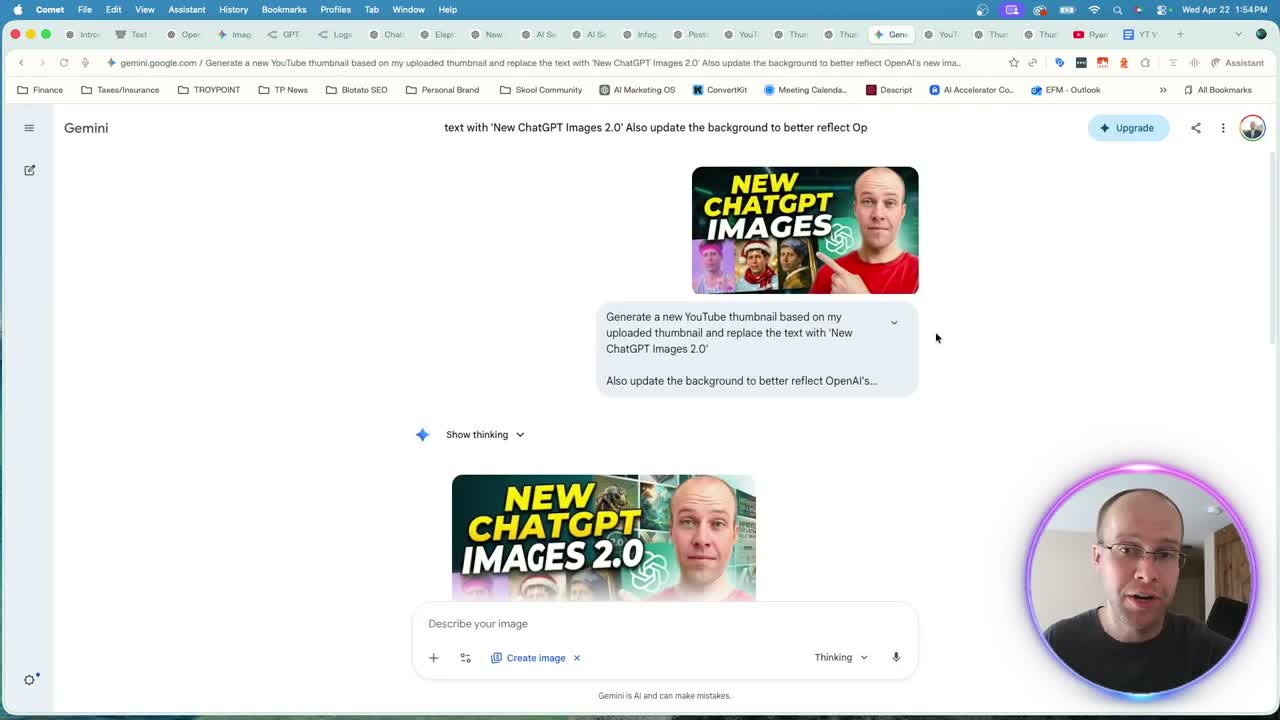
ChatGPT Images 2.0 followed the brief, changed the background to something that actually fit the topic, and produced a second variation I would genuinely AB test on my channel. If you want to see the full walkthrough, here is the OpenAI ChatGPT Images 2.0 demo.
How to Use the New ChatGPT Images Model in Your Workflow
You have three realistic access points for the new OpenAI image model:
- ChatGPT web app, free or paid, with thinking toggles on Plus and above
- OpenAI API directly, with full pricing on the official ChatGPT Images 2.0 page
- OpenRouter as a middleman, which is what I use so one API key unlocks every model
The OpenRouter route is what I recommend for anyone running Claude Code. You get a single key, you can swap models per task, and you can plug the image model into a skill markdown file. My Claude Code OpenRouter setup guide walks through that connection step by step.
From there, build a skill that takes a YouTube URL or a blog post and spits out an on-brand infographic or thumbnail. Pair this with my Claude Code social media system and you have a pipeline from video to published post with real images attached.
One caveat. The new OpenAI image model still struggles with fine text inside dense infographics on the first pass. Budget for one or two follow-up prompts per asset.
Ryan's Final Thoughts
ChatGPT Images 2.0 is the first OpenAI image release that pushed me to change a workflow. Nano Banana 2 was my default for thumbnails and infographics. This one is cheaper, cleaner, and produces output that looks designed instead of generated. I am moving my thumbnail and infographic work to this model inside Codex and OpenRouter, and I will only go back to Nano Banana 2 if Google ships a real answer. If you have tested it, drop your take in the YouTube comments.
ChatGPT Images 2.0 FAQs
Is ChatGPT Images 2.0 free to use?
Yes, free ChatGPT users can generate images with the new OpenAI image model. Advanced outputs with standard and extended thinking are limited to Plus, Pro, and Business accounts. That thinking toggle is the key upgrade for infographics and YouTube thumbnails, so most serious users will want at least a Plus plan.
How does ChatGPT Images 2.0 compare to Nano Banana 2 on price?
The new OpenAI image model runs about 4 cents per image on the standard rate. Nano Banana 2, also known as Gemini 3.1 Flash Image, runs around 7 cents. That makes GPT Image 2 roughly 40% cheaper for one-off generations. Nano Banana 2 only gets cheaper when you run heavy batch processing.
Can I use the new OpenAI image model through an API?
Yes. You can call it directly through the OpenAI API, or route it through OpenRouter with a single key that also handles other models. OpenRouter is the cleanest path if you are already running Claude Code or Codex and want one setup that works across every provider.
Does ChatGPT Images 2.0 add a visible watermark?
No visible watermark. OpenAI embeds an invisible marker, but the output ships clean. That is a meaningful workflow win over Nano Banana 2, which still stamps a visible Gemini watermark in the bottom right of every image and forces an extra removal step before publishing.