
How to Use Nano Banana in Claude Code (Full Setup)
The following guide shows how to use Nano Banana in Claude Code for generating high quality AI images without leaving your terminal.
This is one of the most practical image generation setups running in Claude Code right now. Here's how to get it working.
How Nano Banana in Claude Code Works
Most people using Claude Code for content work still copy-paste prompts into Midjourney or fire up a separate image tool. That adds friction. Connecting Nano Banana to Claude Code removes it.
Nano Banana is the nickname for Google's Gemini image models. Two versions matter here. Nano Banana Pro (Gemini 3 Pro Image) launched in November 2025 as the high-fidelity model. Nano Banana 2 (Gemini 3.1 Flash Image) followed in February 2026 as the faster, cheaper option that keeps most of Pro's quality.
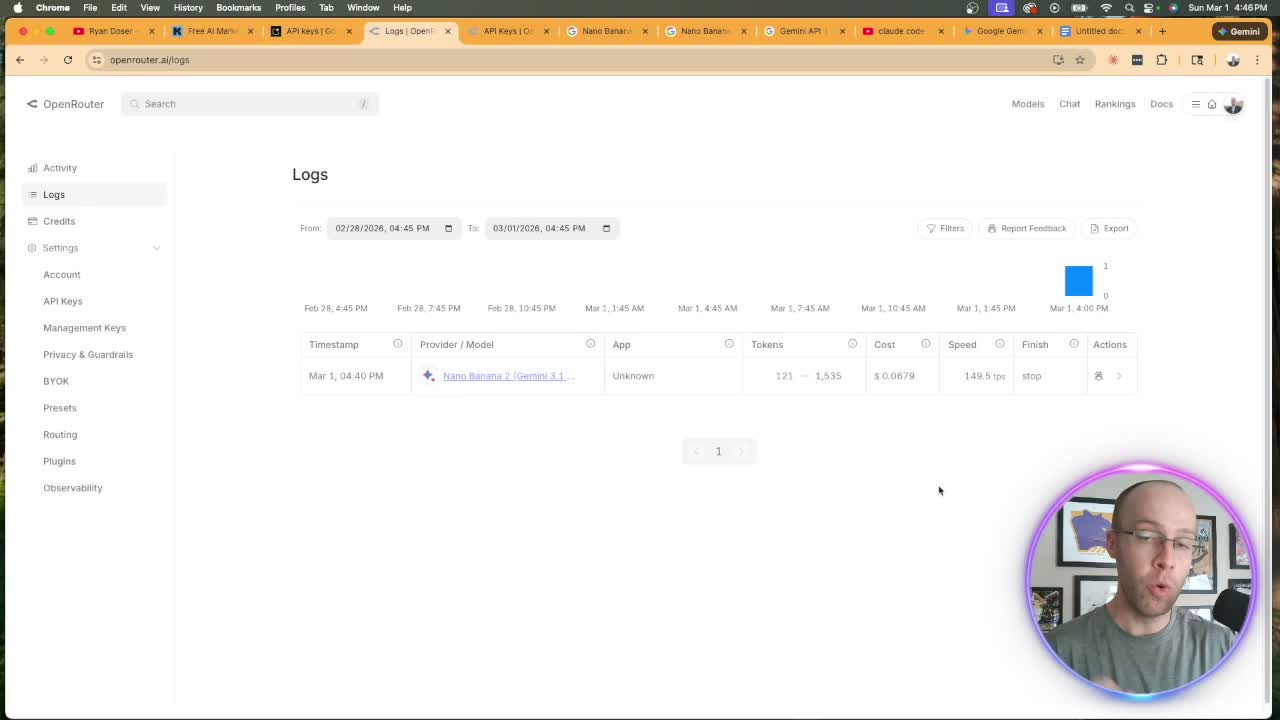
For everyday content work, Nano Banana 2 is the one I reach for. It runs about 7 cents per standard image through OpenRouter, while Nano Banana Pro costs roughly double for its top-fidelity output. When you're generating thumbnails, social graphics, or client assets at scale, that gap adds up fast. If you're weighing image models, my breakdown of ChatGPT Images 2.0 versus the alternatives covers where each one wins.
Nano Banana 2 vs Nano Banana Pro
| Model | Gemini name | Released | Approx. cost per 1K image | Best for |
|---|---|---|---|---|
| Nano Banana 2 | Gemini 3.1 Flash Image | Feb 2026 | ~$0.07 | Fast, cheap, everyday content |
| Nano Banana Pro | Gemini 3 Pro Image | Nov 2025 | ~$0.13+ | Max fidelity, complex composites, text-in-image |
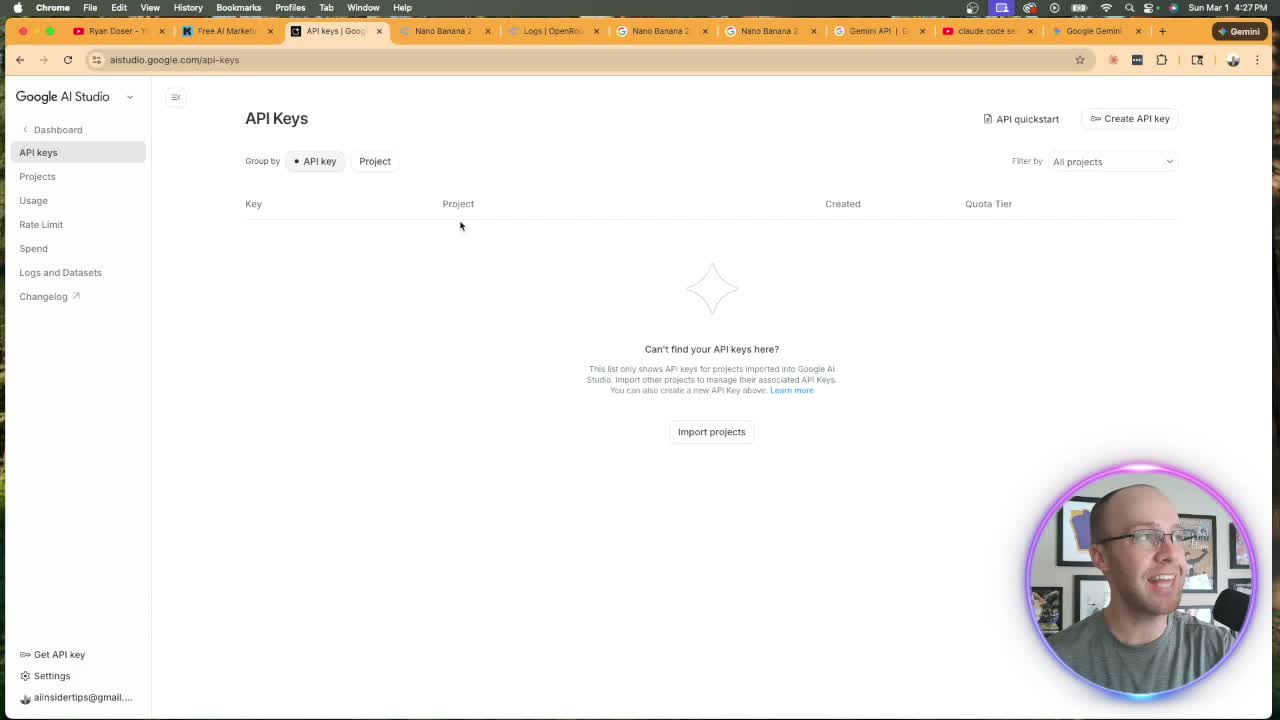
The setup runs through the API, not the Gemini web app. Two paths exist: Google AI Studio (free, direct) or OpenRouter (what I use). OpenRouter consolidates every model under one API key. Google, Anthropic, OpenAI, one key, one dashboard, one place to track costs.
How to Set Up Nano Banana in Claude Code
You've probably heard "just get an API key" before. Here's the actual process, step by step, so you don't have to figure it out.
- Sign up for OpenRouter. Create a free account at openrouter.ai and add $5-10 in credits.
- Create an API key. Go to API Keys, click Create, name it something like "claude-code," and copy the key.
- Store the key in Claude Code. Paste a prompt that saves the key and links the model page as context (exact prompt below).
- Test with one image. Ask Claude Code to generate a simple image using your OpenRouter key. The file saves straight into your workspace.
For step 3, paste this into Claude Code:
Store this API key from OpenRouter to generate images with Google's Nano Banana 2 AI image model. [paste your key]. Here's the OpenRouter documentation for Nano Banana 2 for more context. [paste the model page URL]
The model page is the Nano Banana 2 listing on OpenRouter (model ID google/gemini-3.1-flash-image). Copy that page and include it as context. More context means better output.
If you already have an OpenRouter key in an APIs.env file, Claude Code updates it automatically. If not, it creates a new file. Either way, the key gets stored.
To test it, prompt: "Generate a realistic image of [location] using Nano Banana 2. Use my OpenRouter API key." That explicit reference matters on the first run. Claude Code remembers it after that. The result saves as an image file in your workspace.
Using Claude Skills to Generate Thumbnails with Nano Banana
Asking Claude Code to "make me a thumbnail" in a chat gives you a generic result. That's not a knock on the model. It's a prompt problem.
Skills solve this. A skill is a Markdown file that gives Claude Code persistent context, rules, and instructions for a specific task. Two skills drive the thumbnail workflow I showed in the video: a Nano Banana API best practices skill and a YouTube thumbnail designer skill. My Claude Code Skills Stack has 20+ skills I use daily to automate marketing and content creation with a one time fee and lifetime updates.
The Nano Banana skill was built fast. I pulled the official Gemini image generation documentation, copied it as Markdown, and said: "Make me a skill file with best practices for generating images with Nano Banana." Done.
The thumbnail designer skill took more work. It holds years of knowledge about what makes a thumbnail drive clicks. Both skills are available inside my AI Marketing Insiders community if you want the shortcut.
Here's the actual prompt structure I used in the video:
I need you to design a YouTube thumbnail using the YouTube Thumbnail Designer skill. Take the thumbnail from [reference video URL] and make the following changes: change the text from "unstoppable" to "game changer" and remove the headshot. Keep everything else the same, including image dimensions. Use Google Nano Banana 2 through the OpenRouter API. Use the Nano Banana API best practices skill.
Claude Code ran Opus for this one. It generated three output files -- original, draft, and final. The result matched the brief exactly: text updated, headshot removed, dimensions intact.
The Headshot Problem (And the Real Workflow)
Here's the honest take on AI image models and headshots: they're not reliable yet.
I tested adding my headshot inside Claude Code. The model placed it, but it covered the text. Positioning was off. That's where these models still fall short for compositing real faces onto designed layouts.
My actual workflow: generate the thumbnail without a headshot. Leave clean space on the right side. Export it. Drop it into Canva or Photoshop, drag in your PNG cutout, and save. Adds 30-60 seconds. Keeps quality high.
The bigger point here is the feedback loop. Every time you adjust a thumbnail, Claude Code can update the skill file based on that conversation. You'd say: "Update my YouTube thumbnail designer skill based on this chat." Over time the skill file captures more of your rules and your prompts get shorter. That's the actual power of this system.
The same terminal workflow carries over to other visual assets. I use Claude Code to generate on-brand infographics with Nano Banana, and to create AI video in Claude Code through a separate video model wired up the same way.
Ryan's Final Thoughts
How to use Nano Banana 2 in Claude Code comes down to three things: store your API key, build the right skills, and use reference inputs instead of vague prompts.
The cost is low. The output is solid. When Google releases the next image model, update the skill file and move on. The system stays intact.
Start with a simple test image. Build your skills. Let Claude Code handle generation while you focus on content.
Nano Banana Claude Code FAQs
What is Nano Banana 2 in Claude Code?
Nano Banana 2 (Gemini 3.1 Flash Image) is Google's fast, low-cost AI image model that you can access inside Claude Code via the API. You store an API key from Google AI Studio or OpenRouter, then prompt Claude Code to generate images using that key. It costs about 7 cents per standard image through OpenRouter.
How do I set up Nano Banana 2 in Claude Code?
Get an API key from Google AI Studio or OpenRouter. In Claude Code, paste a prompt that stores the key and includes the model documentation as context. Test with a simple image prompt referencing your API key. Claude Code saves it locally and uses it for all future image generation.
What is the difference between Nano Banana 2 and Nano Banana Pro?
Nano Banana Pro (Gemini 3 Pro Image, November 2025) is the high-fidelity model built for complex composites and accurate text-in-image. Nano Banana 2 (Gemini 3.1 Flash Image, February 2026) is the newer, faster, cheaper option at about 7 cents per image versus roughly double for Pro. For everyday thumbnails and social graphics, Nano Banana 2 is the better value. For maximum fidelity, use Pro.
Can I use Nano Banana 2 without coding skills?
Yes. Claude Code handles all the API calls. You write plain-English prompts. The only technical step is getting an API key and pasting a setup prompt. If you use Claude Code skills (pre-built Markdown files), you reduce the prompt work even further.
How do I use Claude Code skills with Nano Banana 2?
Create a Markdown file with your image generation rules and best practices. Save it as a skill in your Claude Code workspace. Call it by name in your prompt. For thumbnails, I run two skills together: a Nano Banana API best practices skill and a YouTube thumbnail designer skill. That combination gives me consistent, on-brief results far more often than a cold prompt does.