
LinkedIn AI Advice From a $20M Expert (Stop Automating LinkedIn)
The best LinkedIn AI advice I have heard in a while came from someone who closes high-ticket deals for a living, not someone selling you an automation tool.
LinkedIn AI Advice Video Guide
I sat down with Charlotte Lloyd, a B2B sales expert with 23 years in corporate and 70,000-plus LinkedIn followers, to unpack how she actually uses AI to book meetings without sounding like a robot.
Charlotte founded The Client Acquisition Club after leaving corporate, and she built it on LinkedIn content plus manual outreach. Her whole argument cuts against the grain. Most people use AI to send more messages. She uses it to sound more human on every single one.
If you want to build the kind of Claude-powered systems she walks through, I packaged my own playbook in my Claude Code Skills Stack, which includes my Claude Code Skills, automation templates, systems, and more.
Why You Should Stop Automating LinkedIn
You spent an hour blasting connection requests, and every one got ignored. Charlotte sees those messages land in her inbox daily, and she has a one-word response: delete.
Her point on how to use AI on LinkedIn is blunt. The moment a prospect smells AI-generated slop, you lose them. Not for today. For good. (I wrote a whole guide on how to avoid AI slop if that is your weak spot.)
“You cannot eff it up in the online world,” she told me. One bad opener and you are gone. She got a connection request that opened with “I see you run a lead gen agency.” She does not run a lead gen agency. The sender used a fake observation to fake personalization, and it cost them any shot at the deal.
LinkedIn is also stricter than other platforms. Charlotte tried Dripify for cold outreach and got hit with restrictions. Tools like Vaal promise hyper-personalization, but she warns they sit in a gray zone LinkedIn keeps clamping down on. Automating LinkedIn outreach at scale is the fast way to a banned account.
Before you hit send, she runs two gut checks:
- Have I earned the right to a reply?
- If I got this message, would I actually reply?
If the answer is no, the message does not go out. Your human judgment is still the filter, even when AI writes the draft.
How to Use AI on LinkedIn the Right Way
Volume is not the strategy. Charlotte builds AI LinkedIn outreach that reads like a real person typed it, because in her workflow, the AI is trained on her real words.
She trained a custom GPT and a Claude project on thousands of her own conversations, the ones that booked meetings and closed deals. “It’s actually better than me,” she admitted. When you start ten deep conversations a day and have to move each one forward inside the same week, your brain runs dry. The AI does not.
That is the difference. She is not asking ChatGPT to “write a LinkedIn post about this podcast.” She is feeding AI her actual transcripts and frameworks so the output is hers, just faster. I do the same thing with my content. Anything I post is either an original thought in the moment or a repurpose built from a transcript of words I really said.
LinkedIn now prioritizes content from lived experience. So Charlotte asks one question of every hook she writes: could anybody else have written this? If yes, it is generic, and it dies in the feed. “How to book meetings on LinkedIn” is a weak hook. “How I book five meetings a week using this system” is credible, because it is specific and it is hers.
Find Leads by Scraping LinkedIn Comments With Apify
Here is where the system starts. When inbound leads dry up, Charlotte hunts them inside the comments on viral posts, hers and her competitors’.
She uses Apify’s LinkedIn post comment scraper. It is free, it needs no Chrome extension, and it does not scrape your profile, so it stays safe with LinkedIn. She drops in a post that pulled 200-plus comments and extracts up to 250 of them in seconds.
Then she exports to Excel and hands it to Claude. Her prompt is simple: here are 250 comments from a post about X, find the coaches and consultants, pull their LinkedIn URL from each comment. Claude qualifies the list by job title and region before she ever opens a profile.
“You’re creating a system of leads where you never run out of leads,” she said. People who comment on a relevant post are already showing intent. They are warmer than a cold list will ever be. I have used Apify for several LinkedIn scraping jobs myself, and pairing it with Claude to qualify the export is the part most people skip. If you want the full build, here is how I scrape LinkedIn profiles with Claude Code.
Book Meetings on LinkedIn With a Trained AI
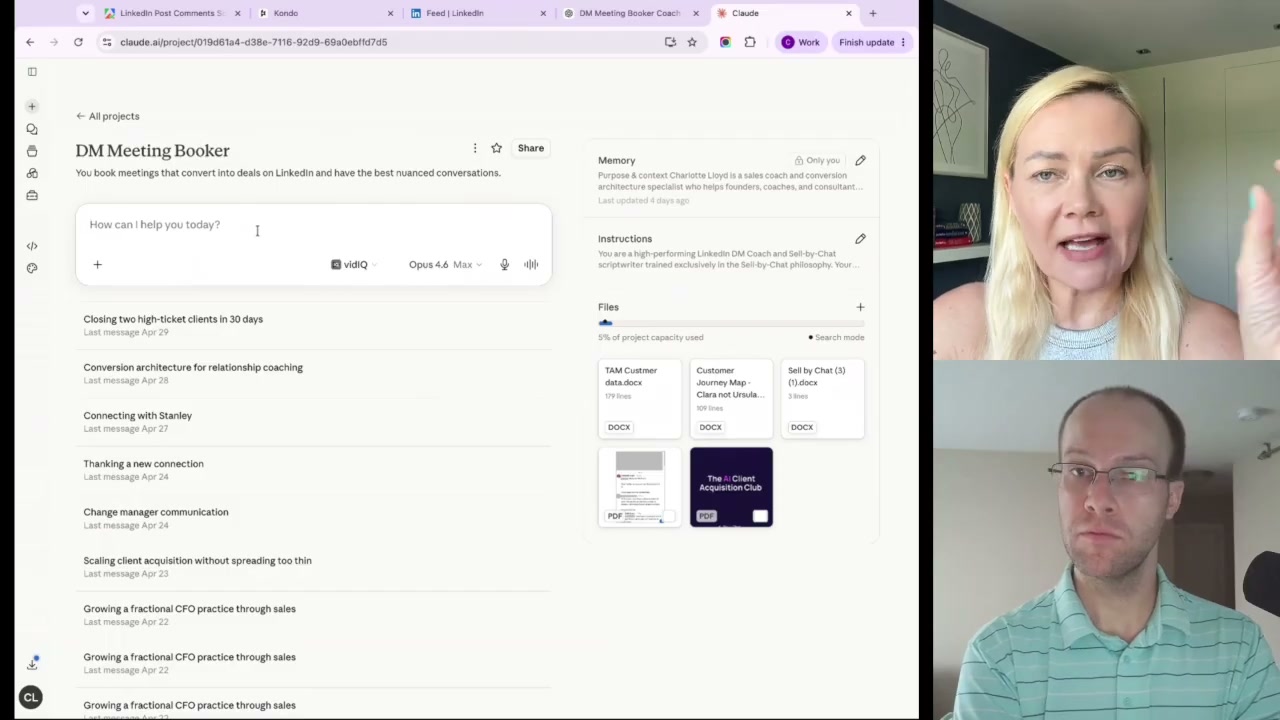
Once a conversation starts, Charlotte runs it through her “DM Meeting Booker,” the custom GPT and Claude project she built.
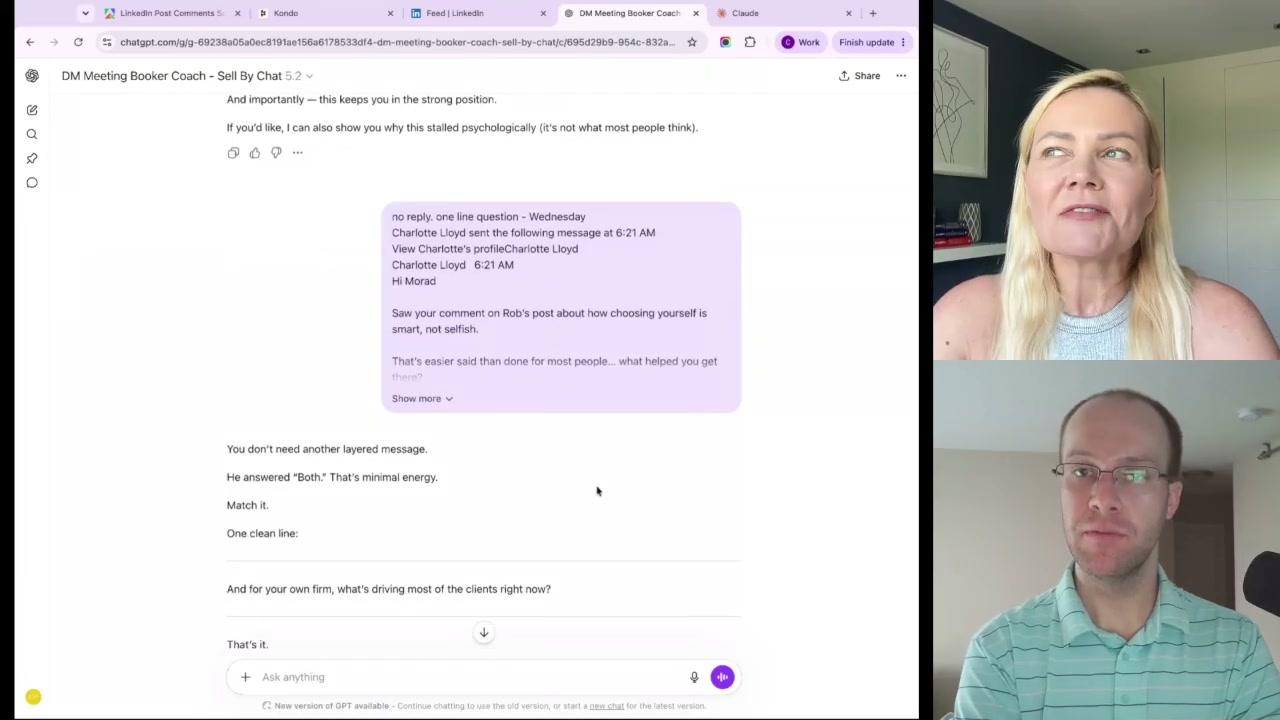
She pastes the entire DM thread, not one message, so the AI keeps the full context. It tells her what is really happening. When a prospect said “it’s not the right time,” the AI did not push. It coached her to clarify calmly and give the person oxygen instead of forcing a call.
It also catches AI tells. It flagged the word “curious” in one draft because everyone overuses it and it reads as machine-written. That is the kind of nuance that keeps your AI LinkedIn DM strategy from sounding automated.
Into the Claude project she loaded her offer, her total addressable market, her customer journey map, and profiles of clients she wants (and the ones she does not). So the AI speaks in the language her ideal buyers actually use.
Run the SPICE Framework on Every Conversation
The backbone of her DMs is the SPICE framework. Claude surfaced it next to Alex Hormozi when someone searched sales advice, which tells you it is getting cited as a real method. Name your process and make it memorable, she says, and this is hers:
- S – Start the conversation. Build a little rapport, but do not camp there.
- P – Pain or priority. Find the struggle. Use an either-or question to reduce cognitive load. “Are you trying to get more inbound, or build a separate client acquisition system?”
- I – Identify blockers. What obstacles have been in the way? You need to know.
- C – Confirm the ideal state. Where do they want to get to once the problem is solved?
- E – Engage for the meeting. “I know I can help with this. Why don’t we hop on a call?”
By the time you reach the E, the prospect has sold themselves on why the problem matters. You are not begging for a meeting. You are offering the obvious next step.
The Tools Charlotte Actually Uses
She only talks about tools she genuinely likes, so this short list carries weight.
| Tool | What it does | Cost |
|---|---|---|
| Apify | Scrapes LinkedIn post comments safely, no extension | Free tier works |
| Whisperflow | Voice-type human comments (press Fn on a Mac) | Free |
| Claude (Pro) | Qualifies leads, runs the DM system | $100/month |
| Kondo | LinkedIn inbox manager, connects to Claude via MCP | Roughly $200-300/year |
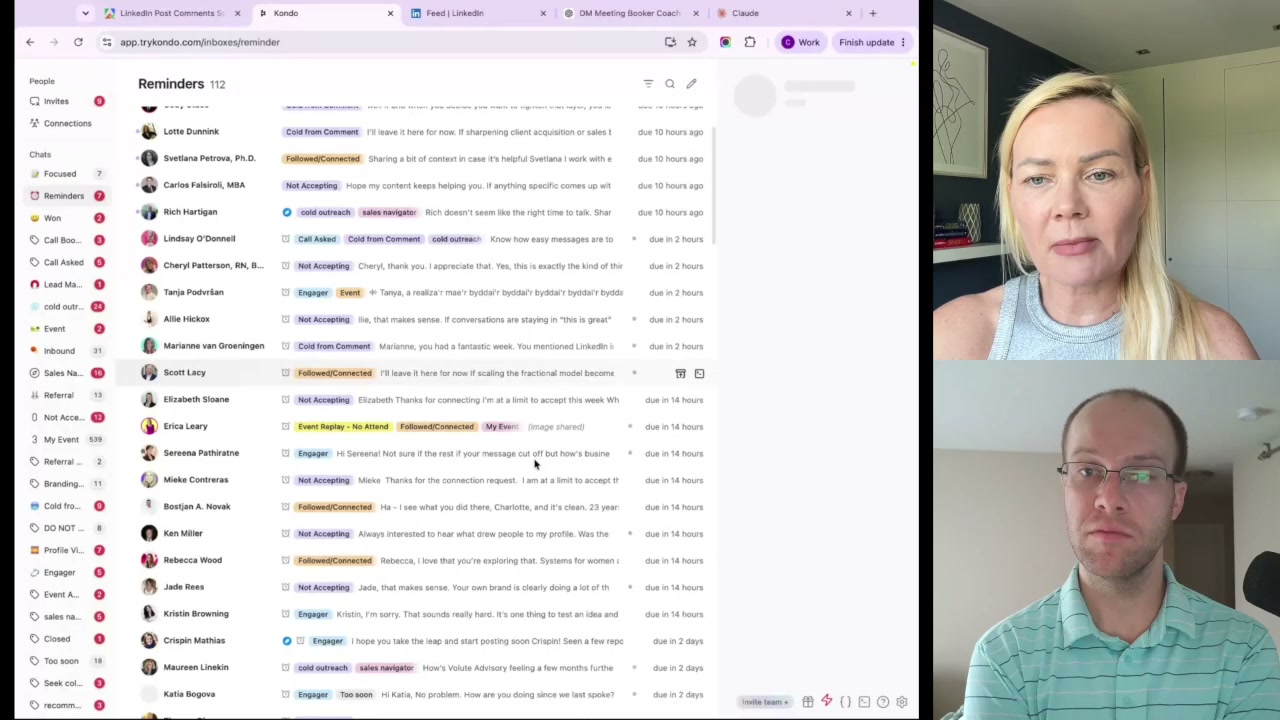
Kondo is the one she calls non-negotiable. The native LinkedIn inbox is chaos, so Kondo lets her label conversations (calls booked, lead magnet sent, cold, follow-up due) and set reminders. It syncs with Claude through an MCP connection, so each week she feeds her conversation data into Claude Cowork and gets granular analytics back. One recent week showed a 77% reply rate.
There is an obvious next move here, and it is where my mind went watching her juggle five browser tabs. Sync Apify to Claude Code with a skill markdown file holding her SPICE framework and client data. Then the whole loop, scrape, qualify, draft, track, lives in one ecosystem instead of copy-pasting between Apify, a custom GPT, and a separate DM tool. That is the natural upgrade for anyone serious about LinkedIn lead generation with AI. It is the same idea behind the AI marketing agents I build in Claude Code.
Ryan’s Final Thoughts
Charlotte’s edge is not the AI. It is that she refuses to let AI strip the human out of selling. She trains it on her real voice, qualifies hard before she ever reaches out, and runs every reply through her own judgment. The volume crowd will keep getting deleted while a few people use these tools to start better conversations. Pick the second group. The systems are sitting right here for you to build.
You can follow Charlotte on LinkedIn or over on Instagram, where she shares more on selling without the slop.
LinkedIn AI Advice FAQs
How do I use AI on LinkedIn without sounding like AI?
Train the AI on your own words instead of asking it to write from scratch. Feed it real transcripts, past conversations, and your frameworks so the output carries your voice. Then read every message before sending and ask whether you would reply to it. The AI drafts, but your judgment ships.
Is automating LinkedIn outreach safe?
Risky. LinkedIn is more aggressive than other platforms about flagging automation, and tools that auto-send messages can trigger restrictions or bans, as Charlotte experienced with Dripify. Safer AI LinkedIn outreach keeps a human in the loop. Use AI to research and qualify leads, then send messages yourself.
What is the SPICE framework for LinkedIn DMs?
SPICE is Charlotte Lloyd’s five-step method for turning DMs into booked meetings: Start the conversation, find the Pain or priority, Identify blockers, Confirm the ideal state, and Engage for the meeting. See the SPICE framework section above for the full breakdown of each step.
What AI tools are best for LinkedIn lead generation?
Charlotte uses Apify to scrape post comments for warm leads, Claude to qualify them by title and region, Whisperflow to voice-type human comments, and Kondo to manage her LinkedIn inbox and reply data. The bigger win is connecting these tools into one workflow rather than copy-pasting between them.