
How I Vibe Coded a Digital Product With Claude Code (And Made $1000)
Disclosure: some links in this post are affiliate links. If you buy through them I may earn a commission at no extra cost to you. I only recommend tools I actually use. Full disclosure.
I used Vibe Code Digital Product Claude Code workflows to go from idea to live sales page to real revenue in under 48 hours.How I Built a $1,000 Digital Product With Claude Code
Most creators build digital products and then spend weeks figuring out how to sell them. I did the entire thing in one sitting with Claude Code and Opus 4.6.
I sat down with Sabrina Ramonov to break down the entire process. Sabrina is one of the top AI content creators in the world with over 300K subscribers on YouTube. She also founded Blotato, an AI content tool I use daily in my own workflows.
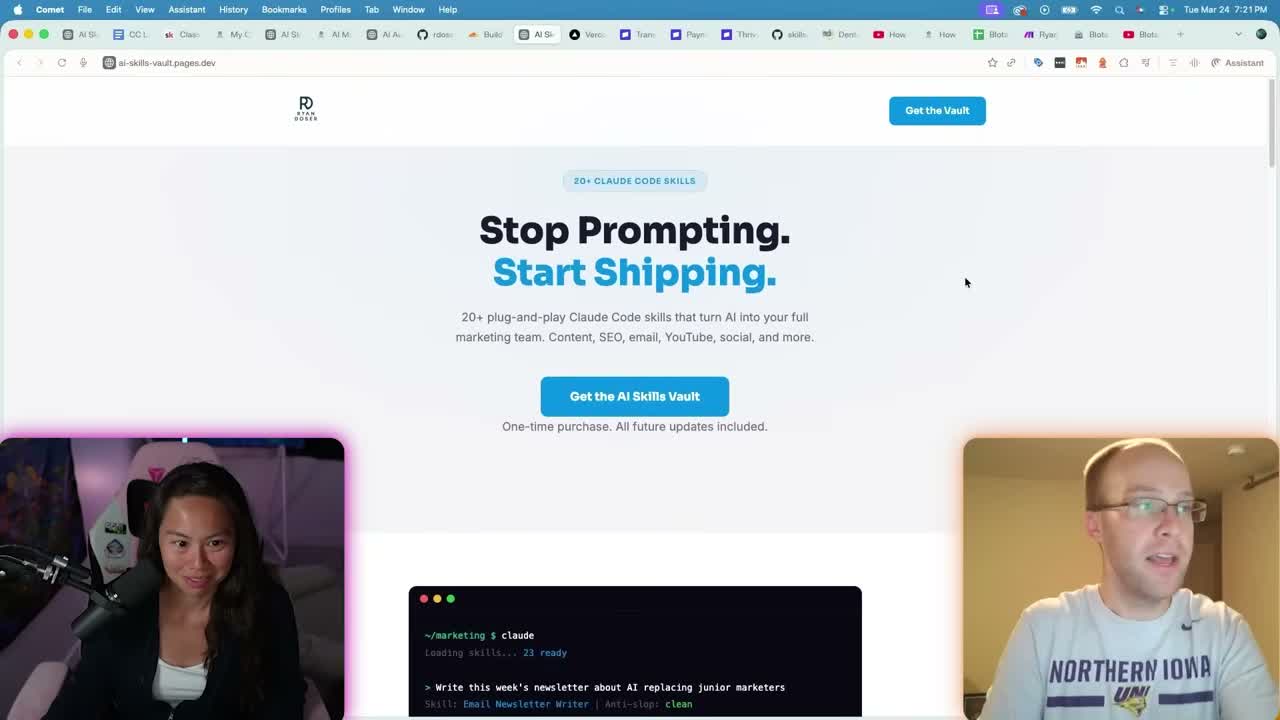
I had 20+ Claude Code skills for marketing, SEO, email, YouTube, and social media locked inside my Skool community. Only members could access them. So I packaged everything into a standalone digital product called the Claude Code Skill Stack.
I fed the product files directly into Claude Code. It had the full context of what I was selling, so it wrote accurate copy with zero guessing. I gave it my brand guide, my Stripe payment link, and a reference landing page I liked. One prompt later, the full sales page was ready.
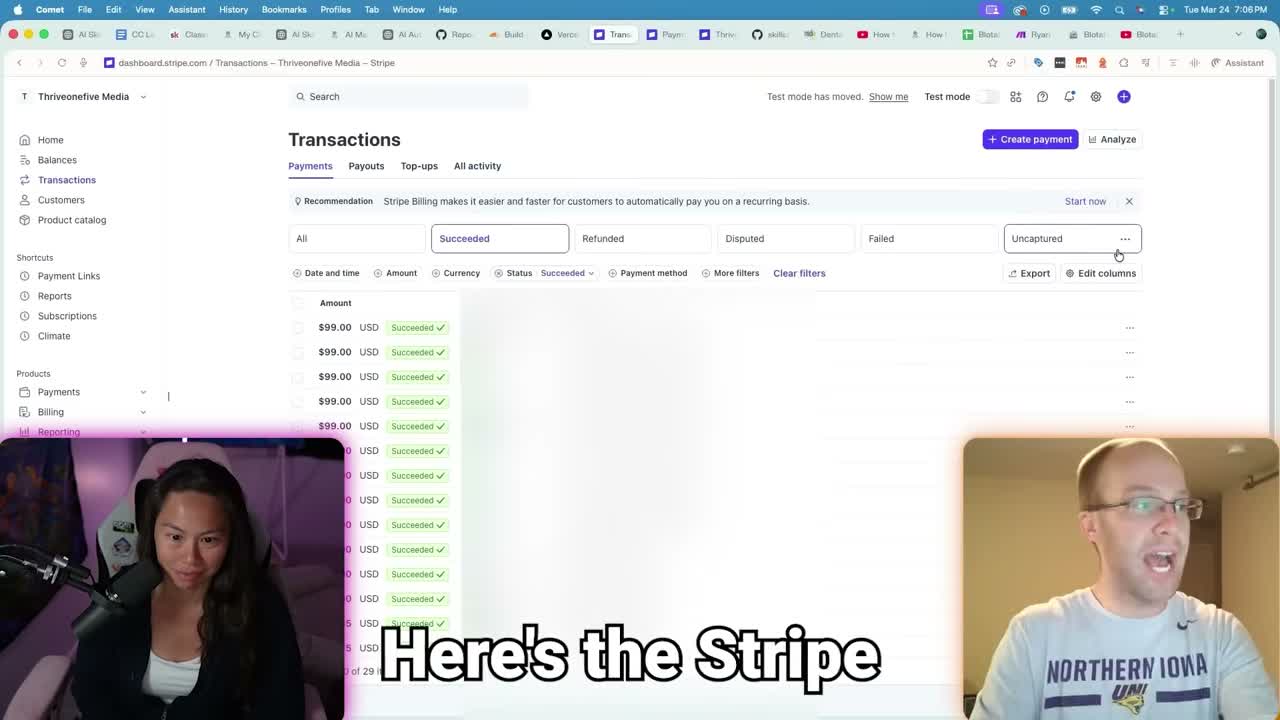
About $1,000 in Stripe revenue followed from a soft launch with zero paid ads. Just a few email newsletter mentions and organic traffic.
Want to build AI-powered marketing systems like this? Grab my free guide.
Free AI Marketing Essentials Guide
What You Need to Vibe Code a Digital Product
Four free or low-cost tools are all that stand between you and a live sales page. Here is the full list.
- Claude Pro subscription ($20/month minimum). I use the $100/month Max plan with Opus 4.6 for front-end design and copywriting.
- Stripe account (free). Create a product, set your price, and Stripe gives you a hosted checkout link.
- GitHub account (free). Your landing page files live here before deployment.
- Cloudflare Pages (free). Connects to your GitHub repo and makes your site publicly accessible.
You also need a Claude Code web design skill. Anthropic publishes free skills including a front-end design template. I customized that template with my brand colors, typography, and layout preferences. That step separates a generic page from one that looks like your brand.
For the Claude Code Stripe integration, you skip the custom checkout headache entirely. Stripe gives you a public URL that handles payments and security. Paste that link into your prompt and Claude Code wires the button.
The Prompt That Built a Vibe Code Landing Page That Makes Money
One prompt generated the entire sales page with product sections, testimonials area, and a working checkout button. Context is doing all the heavy lifting here.
My prompt included five things: my Claude Code web design skill, my brand style guide, the actual digital product files, my Stripe payment link, and a reference URL from a high-converting landing page by creator Brooke Wright. I told Claude Code to use her format and style, but keep my brand and product intact. That "remix" approach is a shortcut worth stealing.
I covered the full landing page building process in my guide to building landing pages with Claude Code. That walks through prompt structure, iterations, and common mistakes.
How to Deploy a Claude Code Site With GitHub and Cloudflare
Getting from local files to a live URL takes less than five minutes. Create a GitHub repository, upload your HTML and assets, connect that repo to Cloudflare Pages, and hit deploy. Free hosting, instant public URL.
I used this same workflow for a client. Medix Dental IT needed a conversion-optimized landing page for Google Ads. I embedded their HubSpot CRM form, applied their brand guide, and deployed through the same pipeline. It works whether you are selling a $29 digital product or generating B2B leads.
How I Repurpose YouTube Videos to Blog Posts With Claude Code
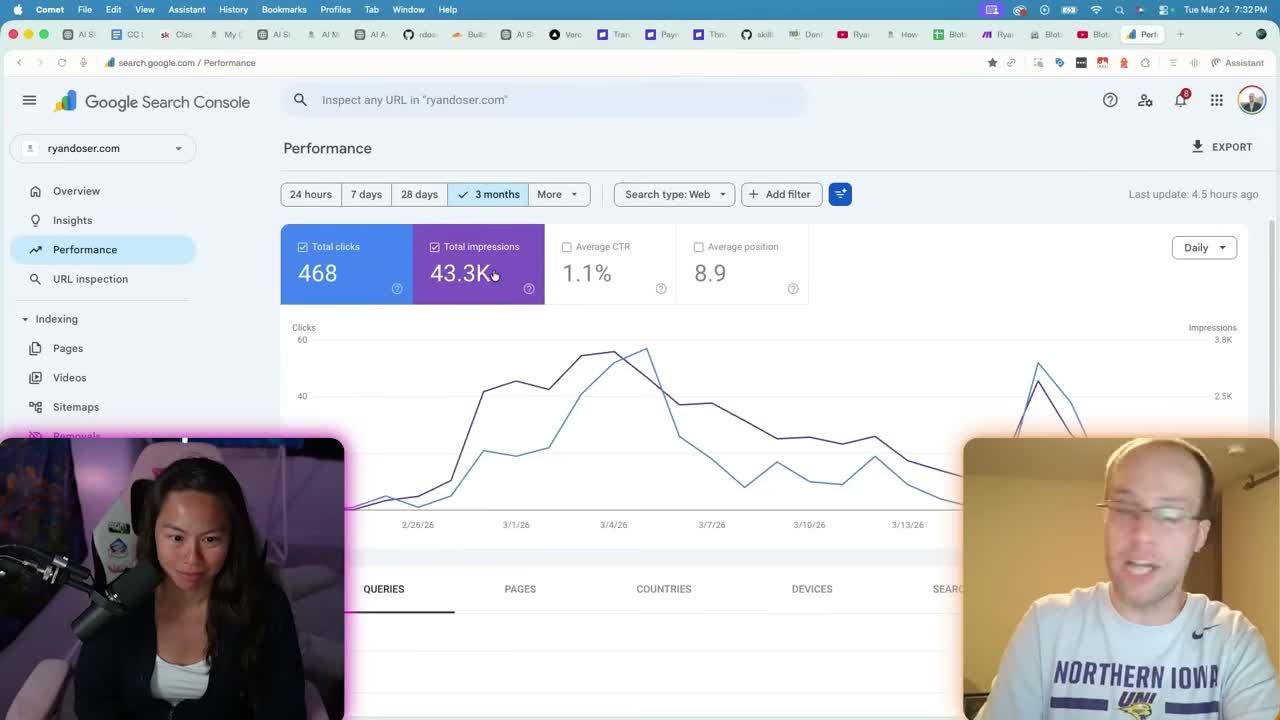
My site hit 43,000 impressions and 468 clicks in about 30 days on a domain rating of 1.8. Practically brand new with almost zero backlinks.
The traffic engine is my Claude Code SEO blog post writer skill. I use Blotato to transcribe YouTube videos right inside Claude Code, then the skill produces a full SEO-optimized blog post. Keyword placement, heading structure, internal linking, and meta descriptions all handled automatically.
It goes further than text. Claude Code watches the video, finds engaging moments, and extracts real screenshots at those timestamps. Those frames get compressed, uploaded to WordPress, and placed with optimized alt text. Real images from my actual videos, not AI-generated filler.
The publishing pipeline connects through a WordPress MCP. Claude Code creates the draft, uploads the featured image, assigns categories, and sets Yoast SEO fields automatically. I am using Claude Code for SEO across my entire content operation now.
Ryan's Final Thoughts
You are probably sitting on existing content that could become a digital product. SOPs, guides, community modules, course materials. All of it can be repackaged and sold through a landing page you vibe code in an afternoon.
If you want to learn how to sell digital products with Claude Code, start with what you already know, package it, and ship it. The market will tell you if it works. For more ideas on monetizing AI skills, check out my breakdown of the best ways to make money with AI.
Vibe Code Digital Product Claude Code FAQs
Can you really make money selling digital products with Claude Code?
Yes. I made over $1,000 from a single digital product with zero paid advertising. Claude Code handled the sales page and Stripe processed payments. No inventory, no shipping, no custom checkout code.
What tools do you need to vibe code a digital product landing page?
Claude Pro ($20/month minimum), a free GitHub account, a free Cloudflare account, and a free Stripe account. Anthropic also offers a free front-end design skill you can customize.
How do you connect Stripe to a Claude Code landing page?
Create a product in your Stripe dashboard and generate a payment link. Paste that link into your Claude Code prompt when building the page. Claude Code wires the checkout button to that URL automatically.
How long does it take to build a digital product sales page with Claude Code?
The first draft generates in three to five minutes. Plan another 10 to 15 minutes for iterations. Deploying to GitHub and Cloudflare adds a few more minutes. Total time is usually under 30 minutes.
How do you drive traffic to a digital product built with Claude Code?
I repurpose every YouTube video into an SEO-optimized blog post using a Claude Code skill. This generated 43,000 impressions in 30 days on a brand new domain. Email newsletters and organic social work well for soft launches too.