
How to Build Websites with Claude Code (RIP WordPress)
This guide shows a non-technical marketer how to vibe code websites Claude Code style, step by step, with no prior programming background required.
Vibe Code Websites Claude Code Video Guide
Here is the full walkthrough of how I built a real local service website in roughly fifteen minutes using Claude Code, GitHub, and Cloudflare.
If you want to go deeper on the workflow, my Claude Code Skills Stack includes the local website designer skill and the local SEO strategist skill I used to ship the Des Moines Septic site, plus 25 other marketing skills I run every week.
Line up the prerequisites first. Claude Code, my top pick among the best AI coding tools, on the Max plan gets you real access to Opus 4.7, the model that builds clean sites. A free GitHub account hosts the codebase. A free Cloudflare account handles hosting. The web framework I keep coming back to is Astro, which is fast, SEO friendly, and now owned by Cloudflare.
The Vibe Code Website Step by Step Workflow
This is the exact build sequence for a vibe coded website from blank prompt to live custom domain.
Step 1: Set Up Claude Code With the Right Skills
Open a fresh Claude Code chat inside Visual Studio Code. Pick Opus 4.7. Turn thinking mode off. Drop effort to low because website scaffolding is not a reasoning-heavy task. If you are new to the tool, my breakdown of why marketers should use Claude Code covers the setup.
Then load two skills: a local website designer skill and a local SEO strategist skill. Splitting them matters. One bloated mega-skill produces sloppy output. Two narrow skills produce sharper sites and cleaner SEO structure. This is the same pattern I use to run Claude Code AI marketing agents for content and SEO work.
Step 2: Feed Claude Code Real Brand Assets
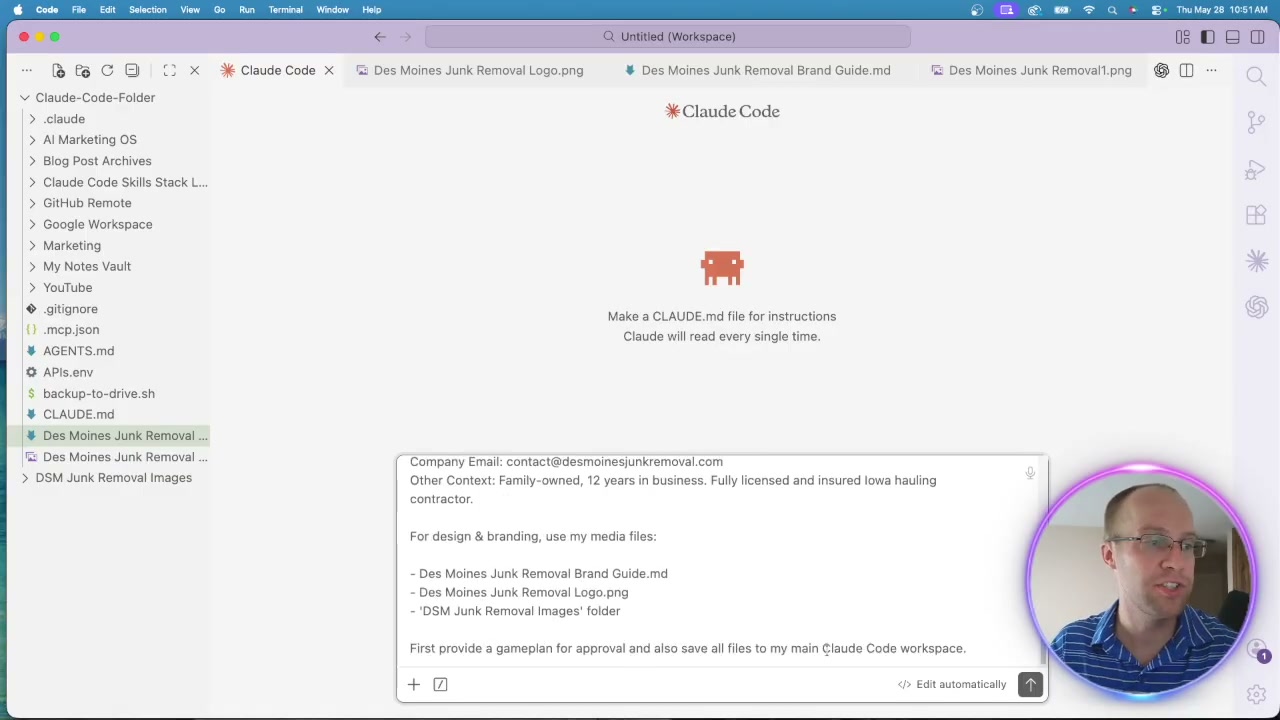
Write a prompt that calls out both skills, names the Astro framework, and gives a reference URL to scrape. Load the business details: name, industry, service area, phone, email.
The shortcut most people skip is brand assets. Have Codex generate a logo with GPT Image 2. Build a quick brand guide with fonts and color codes. Generate a folder of branded photography for service and location pages.
Close the prompt with: "First provide a game plan for approval. Save all files to my main Claude Code workspace."
Step 3: Approve the Game Plan and Build Locally
Claude Code returns a full plan in about a minute: stack, page inventory, menu structure, permalinks, SEO details, robots.txt, meta tags, and copy voice. Read it. Request changes if anything looks off.
Once approved, switch Claude Code to bypass permissions for speed. Nothing goes live yet. Everything is built locally.
The first draft will be rough. Spin up the local host URL and look at it. Then point Claude Code at a reference site you like. For the demo I used the Des Moines Septic example I had already built, and told it to add more pages, dropdown menus, a blog section, icons, and mobile styling. Round two came back with 41 pages and real navigation.
Step 4: Push the Site to a GitHub Repository
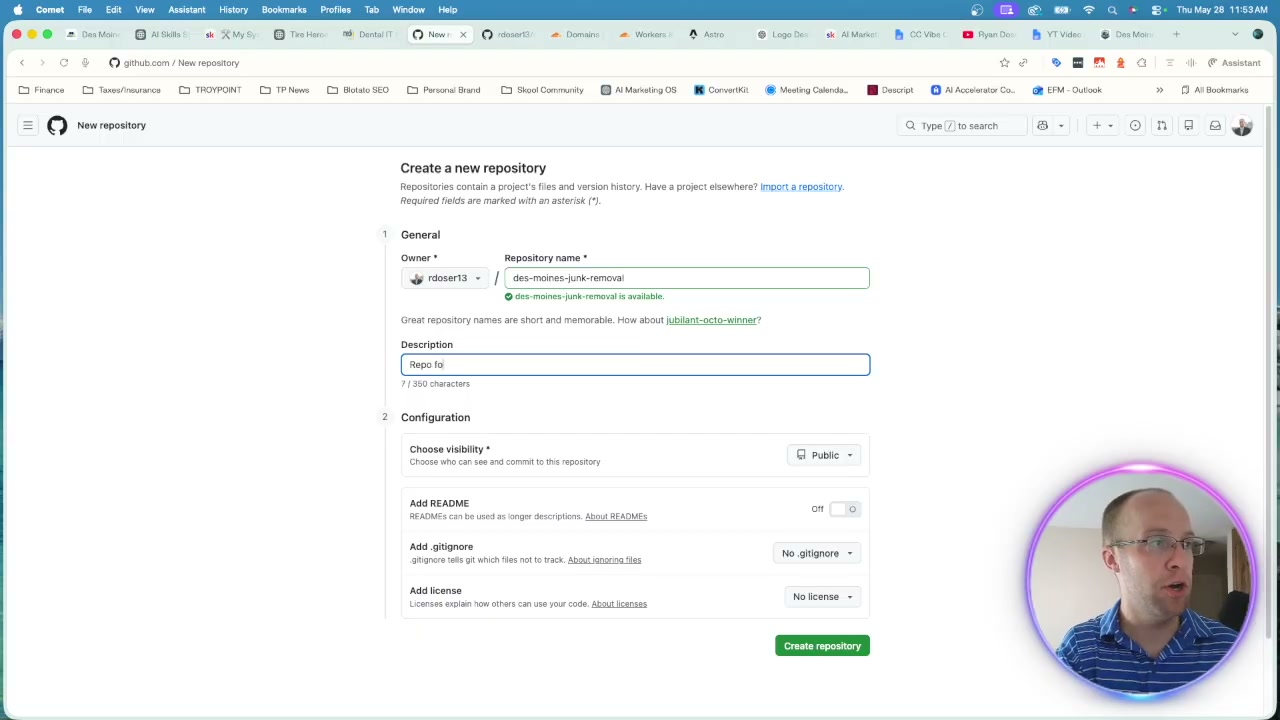
Create a new GitHub repo named after the business. Public is fine. Skip the README, gitignore, and license.
Copy the repo URL into Claude Code and ask it to push the local folder. It returns a terminal command. Paste it into your Mac terminal. If you hit an HTTP buffer error, paste the error back into Claude Code, get the fix command, and run it again. Refresh the GitHub repo and your files appear.
Step 5: Deploy Vibe Coded Website on Cloudflare
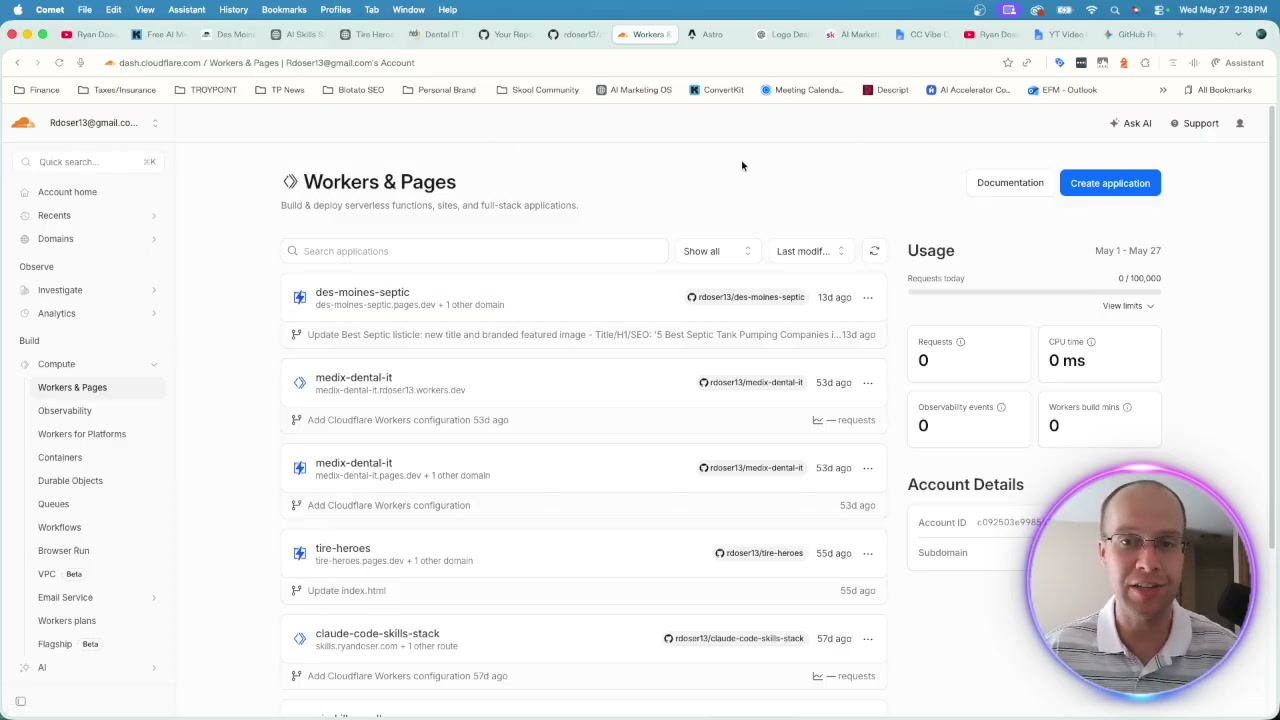
Inside Cloudflare, go to Compute, then Workers and Pages, then Create Application. Pick "Pages" and import the existing Git repository. Authenticate GitHub if you have not already.
Pick the repo. Production branch is main. Framework preset is Astro and the build command is npm run build. Leave the output directory alone. Click save and deploy.
A minute later the site is live at a pages.dev URL. That URL is fine for testing but not where a real business should sit. Most ad platforms ban pages.dev landing pages anyway.
Step 6: Attach an Exact Match Custom Domain
Buy a domain through Cloudflare or transfer one in. For local SEO, an exact match domain still helps. I used dsmjunkremoval.com as the demo. In your Pages project, go to settings, custom domains, paste the URL, and click activate. Cloudflare creates the DNS record automatically.
Step 7: Make Future Updates Hands-Off
Send Claude Code the live URL and request edits. Fix the favicon. Triple check mobile. Spin up a new blog post. Claude Code pushes to GitHub, GitHub triggers Cloudflare, Cloudflare redeploys. You never touch the terminal again.
Ryan's Final Thoughts
The Des Moines Septic demo is already ranking middle of page one for "septic tank pumping near me" and pulling phone calls and form submissions. That is a vibe coded Astro site, a few weeks old, beating real local companies. The build itself took fifteen minutes. The learning curve took three or four hours. The tradeoff is real: solo operators and small agencies win with this stack, while large teams with non-technical editors are still better served by WordPress as a CMS. If you want the rest of my workflow, my AI marketing stack breaks down the tools I run every week.
Vibe Code Websites Claude Code FAQs
Can you build a website with Claude Code if you have no coding background?
Yes. Claude Code handles the codebase while you handle the brief. Write a prompt with company details, brand assets, and a reference site. You get a working Astro project saved locally, then push the final version to GitHub and Cloudflare.
Claude Code vs WordPress: which one wins?
Claude Code wins on speed, cost, and SEO performance for solo operators and small agencies. WordPress still wins for large teams with several non-technical editors who need a content management interface.
Why build a vibe code website with Astro?
Astro ships clean static HTML, which loads fast and ranks well. It is owned by Cloudflare so deployment is direct. Claude Code produces reliable Astro code with the local website designer skill loaded.
How do I deploy a vibe coded website on Cloudflare?
Push your project to a GitHub repository. In Cloudflare, go to Compute, Workers and Pages, Create Application, and import the Git repo. Pick the Astro framework preset, set the build command to npm run build, and click save and deploy.
Will a vibe coded local business website rank in Google?
Yes, with the right setup. The Des Moines Septic demo is ranking middle of page one for "septic tank pumping near me" within weeks of launch. The wins come from an exact match domain, the local SEO strategist skill, fast Astro load times, and getting indexed in Google Search Console.