
How to Build Landing Pages With Claude Code (No Coding)
Claude Code landing pages are one of the fastest ways to go from idea to a live, conversion-ready page without writing a single line of code yourself.
How Claude Code Landing Pages Actually Work
Most people overthink landing pages. They spend weeks picking templates, hiring designers, or wrestling with drag-and-drop builders that never quite look right.
Claude Code flips that process. You describe what you want in plain English, and it generates the full HTML, CSS, and JavaScript locally on your machine. I tested this myself by building a landing page for a $47 digital product from scratch. The entire first draft took minutes, not days.
Here's what you actually need to get started:
- A paid Claude plan ($7 or $20/month minimum)
- Claude Code running in VS Code, Cursor, or your terminal
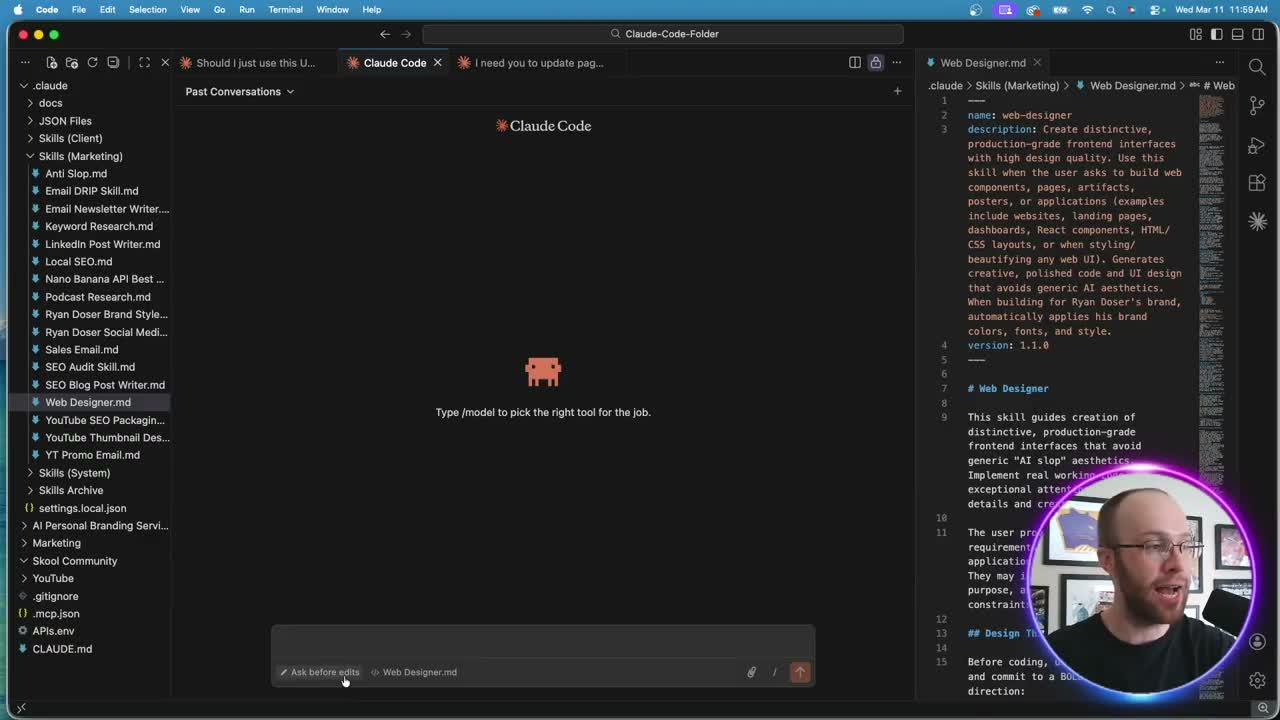
- A web designer skill markdown file (Anthropic offers a free one in their docs)
- Opus 4.6 selected as your model (not Sonnet, not Haiku)
The skill file is the secret ingredient. It acts like an SOP for Claude Code, giving it design principles, layout rules, and your personal preferences. Without one, you'll get generic output.
If you're already using Claude Code for marketing workflows, my Claude Code marketing guide covers the broader setup.
The Prompt That Makes or Breaks Your Landing Page
You've probably tried asking AI to "make me a landing page" and gotten something that looks like a 2018 WordPress theme. The fix is context.
Your prompt needs four things:
- Reference URL. Give Claude Code a landing page you like. Maybe it converts well, or maybe a competitor's design caught your eye. This gives the AI a visual target.
- Product details. Name, price, payment link (I use Stripe checkout), and a tagline.
- Content in HTML format. Copy the raw HTML of your existing content rather than pasting plain text. Claude Code interprets structured markup far better than raw copy.
- Specific design instructions. Colors, layout preferences, sections you want included.
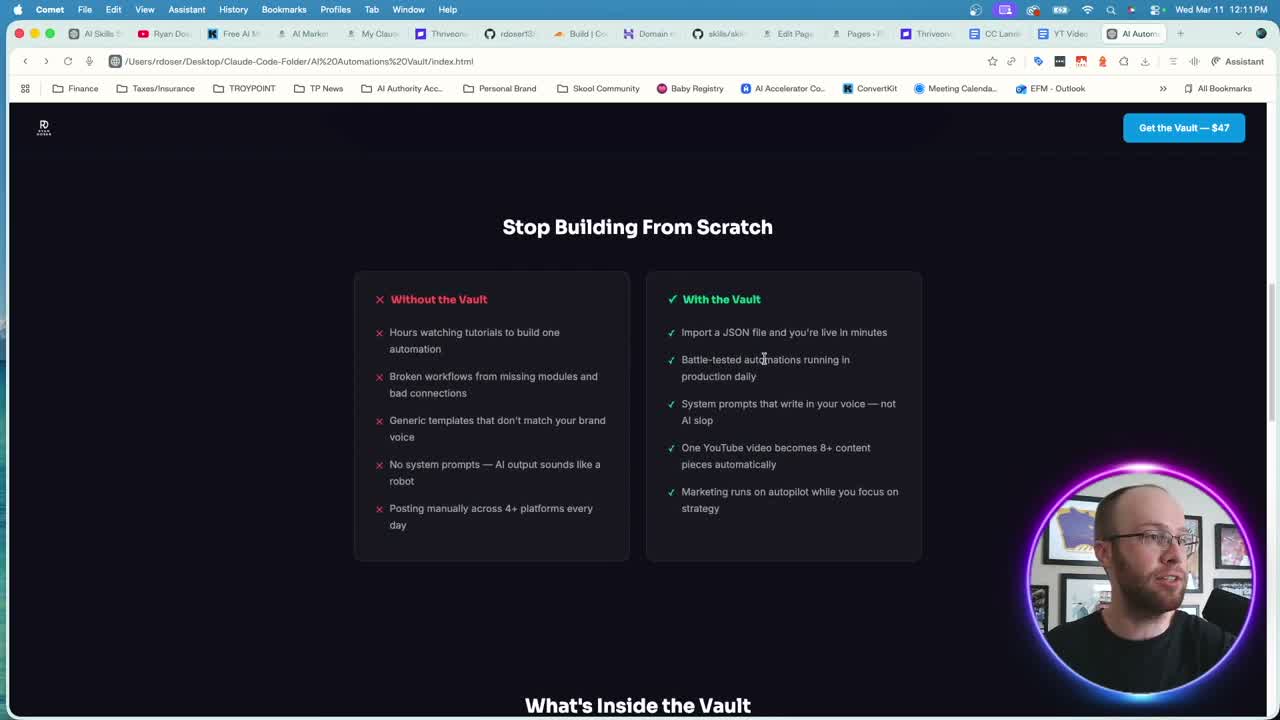
For my AI Automations Vault page, I fed Claude Code a reference URL from an existing product, the Stripe checkout link, and the HTML content from my free guide. That level of detail produced a polished first draft that already had correct product names, accurate pricing, and working payment links.
One thing that separates vibe coding landing pages from traditional builders: you can iterate in natural language. "Remove the terminal image below the hero." "Change 'What's Inside the Vault' to 'What's Inside the AI Automations Vault.'" Each instruction refines the page without touching code.
My Claude Code Skills Stack has 20+ skills I use daily to automate marketing and content creation with a one time fee and lifetime updates.
Designing in Claude Design First, Then Handing Off to Claude Code
Anthropic added a second front door to this workflow after I first published this guide. Claude Design arrived in April 2026, and the piece that matters here, the two-way sync with Claude Code, landed that June. It is still in beta. You describe a design in chat and Claude builds it on a canvas next to you, so you can see and edit the layout before any code exists. It is included on the Pro, Max, Team, and Enterprise plans, and it is off by default on Enterprise until an admin turns it on.
The reason this matters for landing pages: the prompt section above is you describing a design in words and hoping the first render is close. Claude Design lets you settle the layout visually first, then hand the finished thing to Claude Code to build and deploy. Anthropic's own framing is that Claude Code "continues from your existing work instead of starting over from a screenshot."
There are two commands worth knowing:
/designruns inside Claude Code and lets you work on the design without leaving your terminal./design-syncpulls your design system out of your codebase and into Claude Design, so what it generates uses your real components, colors, and typography instead of generic defaults.
That second command addresses the same problem the web designer skill file solves, from the opposite direction. The skill file is you writing your design rules down by hand. /design-sync reads them out of code you already wrote. Per Anthropic's docs, it can pull a design system from a GitHub repo, design files, or raw uploads, and Claude then checks its output against that system before you see it.
Claude Design will also export straight to HTML, PDF, or PowerPoint, and it can send work to tools like Vercel and Replit. For the workflow in this post, HTML export or the Claude Code handoff is what you want, because the deploy path below expects files on your machine.
One limitation to plan around: /design-sync is not available if you run Claude Code through Amazon Bedrock, Google Cloud's Agent Platform, Microsoft Foundry, or Claude Platform on AWS. On a normal Claude subscription, which is what most people reading this are using, it works.
To be straight with you: the $47 product page above was built before Claude Design existed, so I have not rebuilt it that way. What I can tell you is where the extra step is worth taking. If you can already picture the page, adding a canvas stage in front of Claude Code is work you do not need. If the layout is the part you keep getting wrong, or the page has to sit next to an existing brand without looking off, that is what the design stage is there for.
Going Live With GitHub and Cloudflare
Building a landing page locally is satisfying. But nobody can see it until you deploy. Here's how I push Claude Code websites live for free.
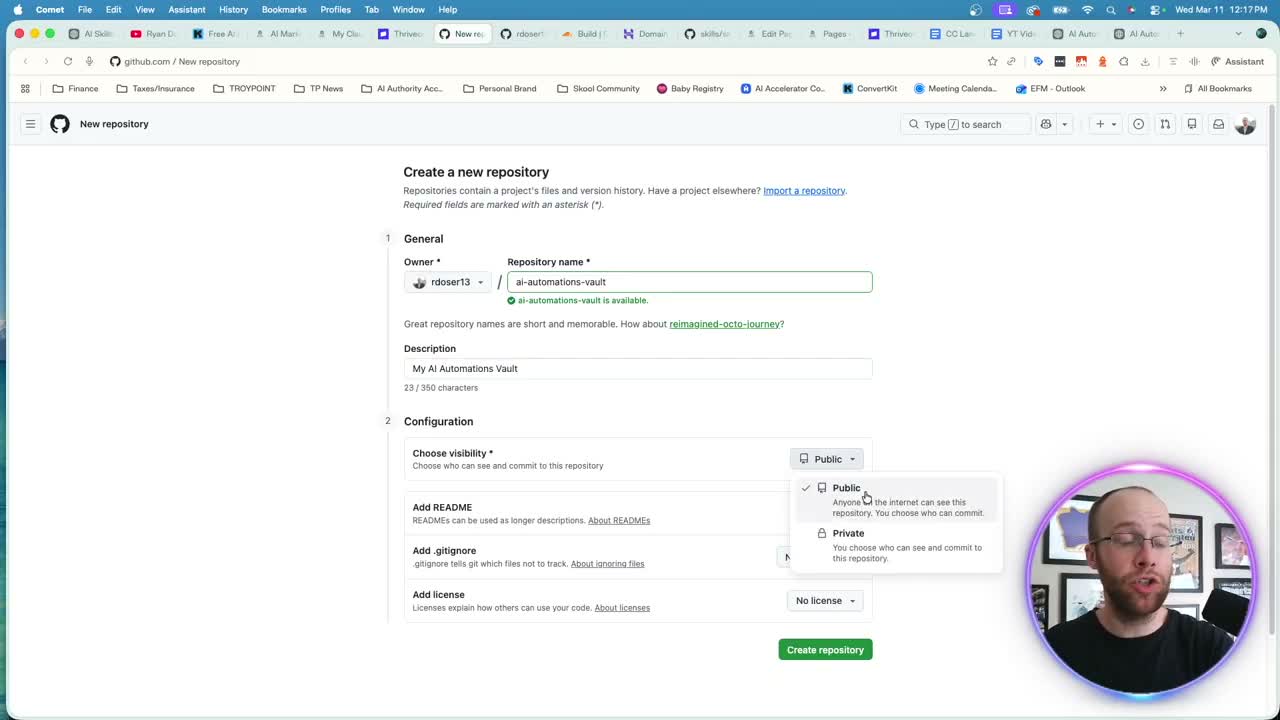
Step 1: Create a GitHub Repository
Set up a free GitHub account if you don't have one. Create a new public repository named after your product. Skip the README and license options.
Step 2: Upload Your Files
Ask Claude Code to provide your index.html and any asset files. It will open them in your Finder (or file explorer on Windows). Drag those files into your GitHub repository and commit the changes.
Step 3: Connect to Cloudflare Pages
Create a free Cloudflare account. Go to Build, then Workers and Pages. Click "Create Application," connect your GitHub account, select your repository, and deploy. Within seconds, Cloudflare generates a public URL for your landing page.
That's three steps to go from a local file to a live, publicly accessible landing page. No hosting fees. No server configuration.
If you're curious how Claude Code handles other marketing tasks like SEO optimization, I broke that down separately.
Custom Domains and Shipping Fast
Cloudflare gives you a URL like ai-automations-vault.pages.dev. Functional, but not exactly branded.
You can purchase a cheap domain ($1-$10/year for .shop or .store extensions) and connect it through Cloudflare's domain management. The full DNS propagation takes a few hours, but after that, your landing page lives on a clean, branded URL.
Here's my honest take on this: don't wait for the perfect domain before you ship. I would rather launch on a Cloudflare subdomain, validate whether the product sells, and worry about branding later. Too many people stall at the domain-buying stage and never test their offer.
The whole point of using Claude Code for building things without coding experience is speed. Get the page live. Run traffic to it. See what converts. Then refine.
What Claude Code Won't Do for You
No tool is perfect, and Claude Code has real limitations for landing pages.
Your first output won't be flawless. Expect 5-10 small tweaks on the initial version. Text that needs rewording, sections that need reordering, images that don't fit right. That's normal, and the iterative prompting handles it well.
Payment processing stays external. I route all transactions through Stripe instead of trying to build checkout functionality into a vibe-coded page. That keeps things simple and secure.
Mobile responsiveness varies. Some generated pages look great on phones out of the box. Others need a follow-up prompt like "make this fully responsive on mobile devices." Always check.
And if you're already using Claude Code skills for other workflows, the web designer skill slots right into your existing setup.
Ryan's Final Thoughts
Building landing pages with Claude Code removes the biggest friction point for marketers and creators: the gap between having an idea and getting it in front of real people. You describe what you want, iterate in plain English, and deploy for free through GitHub and Cloudflare. The speed advantage is real. Ship first, refine later, and let the market tell you what works.
Claude Code Landing Pages FAQs
Do I need coding experience to build landing pages with Claude Code?
No. Claude Code generates all the HTML, CSS, and JavaScript for you based on plain English prompts. You never touch the code directly. The skill markdown file handles design logic, and you iterate by describing changes conversationally. A paid Claude plan and VS Code are the only technical requirements.
What does it cost to build and host a Claude Code landing page?
The Claude plan starts at $7/month. GitHub and Cloudflare Pages hosting are both free. If you want a custom domain, expect $1-$10/year for budget extensions like .shop or .store. Total cost for a live, production-ready landing page runs under $10 in most cases.
Can Claude Code handle payment processing on landing pages?
Not directly. The best approach is using a third-party processor like Stripe. You create a checkout link in Stripe, feed that URL into your Claude Code prompt, and the generated page links directly to Stripe's hosted checkout. This keeps payments secure without any custom integration work.
How long does it take to build a landing page with Claude Code?
The first draft generates in about 3-5 minutes. Plan another 10-15 minutes for iterative refinements like adjusting text, removing sections, or swapping images. Full deployment to Cloudflare takes under a minute. Start to finish, you can have a live landing page in under 30 minutes.
Should I use Claude Design or Claude Code to build a landing page?
Use Claude Design when the layout is the hard part or the page has to match an existing brand, since it lets you settle the design on a canvas and then hand it to Claude Code to build and deploy. Go straight to Claude Code when you can already picture the page, because the canvas stage adds a step you do not need. Claude Design is in beta on the Pro, Max, Team, and Enterprise plans, and /design-sync pulls your existing design system out of your codebase so the output uses your real components.
Which Claude model works best for designing landing pages?
Opus 4.6 produces the highest quality landing page designs. It handles layout logic, responsive CSS, and visual hierarchy better than Sonnet or Haiku. Make sure extended thinking mode is turned off, and start with "ask before edits" permission mode until you're comfortable with the workflow.